Stop Losing Your Best Ideas: How Content Reservoirs Work

Ever bookmark an article about AI strategy, save a Reddit thread on competitor positioning, and forward yourself three newsletters—only to never touch them again?
Your insights are scattered. Your competitive intelligence is buried. And when that client call comes, you're searching through browser tabs instead of speaking with authority.
The Executive Intelligence Problem
Consultants and fractional leaders consume more strategic content than anyone. Industry trends on Hacker News. Competitive signals on Reddit. Technical deep-dives from your favorite blogs.
But consumption isn't the same as retention. And retention isn't the same as activation.
You need a system that doesn't just capture information—it transforms scattered signals into strategic, reusable intelligence.
Meet Content Reservoirs
Think of Reservoirs as your private knowledge vaults. Each one focuses on a specific domain you care about: AI tooling, SaaS metrics, go-to-market strategy, whatever drives your business.
They don't just store articles. They organize them, score them for relevance, and make them instantly accessible when you need to generate content or advise clients.
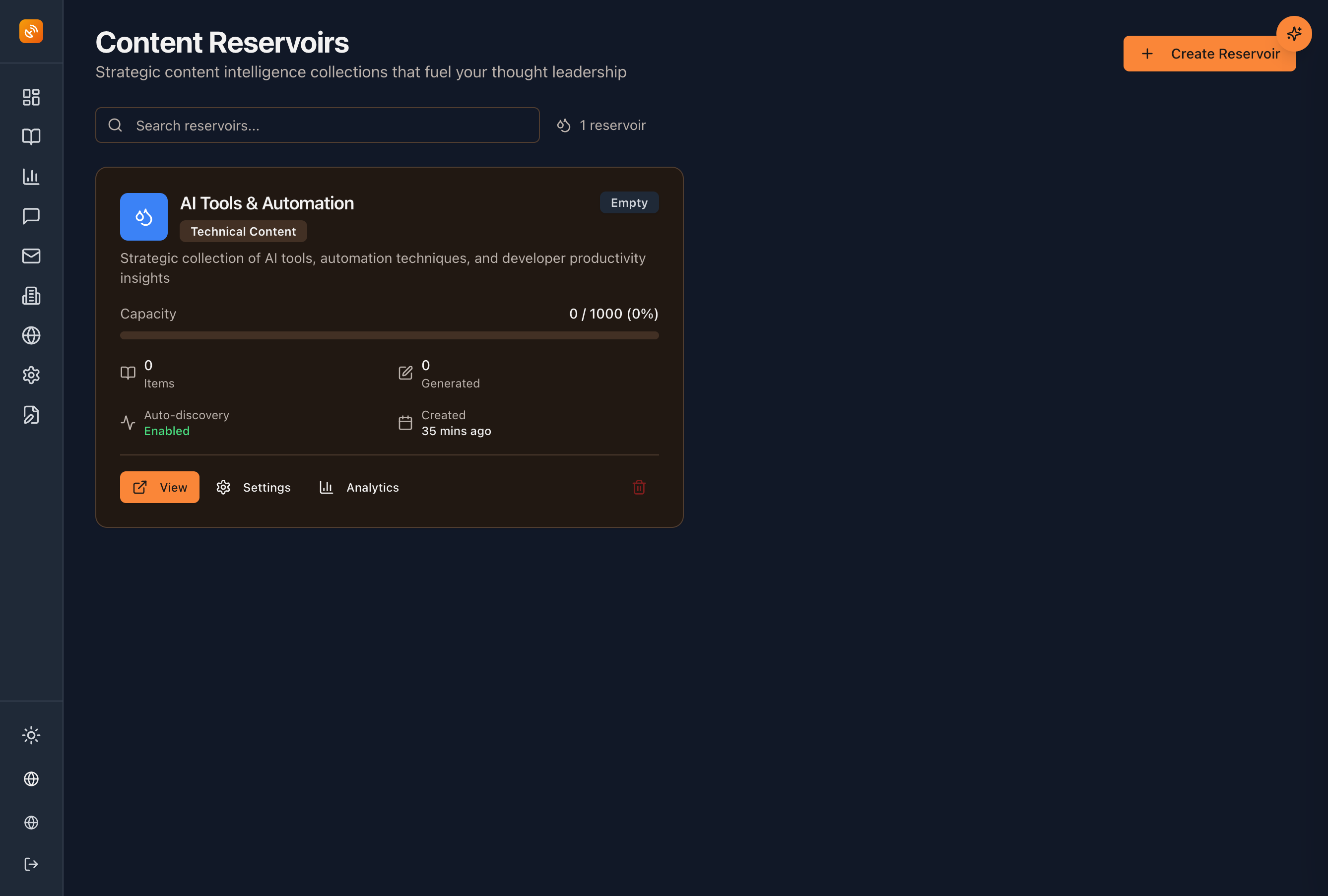
What it does: Automatically collects high-value content from your monitoring feeds, lets you add your own discoveries, and gives you AI-ready context for everything you create.
Why it matters: Stop starting from zero. Every post, every client deck, every advisory call begins with your curated intelligence—not a blank page.
How Reservoirs Work
1. Auto-Discovery Does the Heavy Lifting
Set your keywords once. BlackOps Center monitors Reddit, Hacker News, and your RSS feeds 24/7.
When something relevant appears, your Reservoir captures it automatically. You wake up to organized intelligence, not notification chaos.
Relevance threshold slider: Control what gets in. Set it high for laser focus. Set it lower to capture broader signals.
2. Add Your Own Strategic Finds
Saw something brilliant on LinkedIn? Read a whitepaper that changed your perspective?
Forward it to your Reservoir's unique email address or paste the URL directly. Now it's part of your permanent knowledge base.
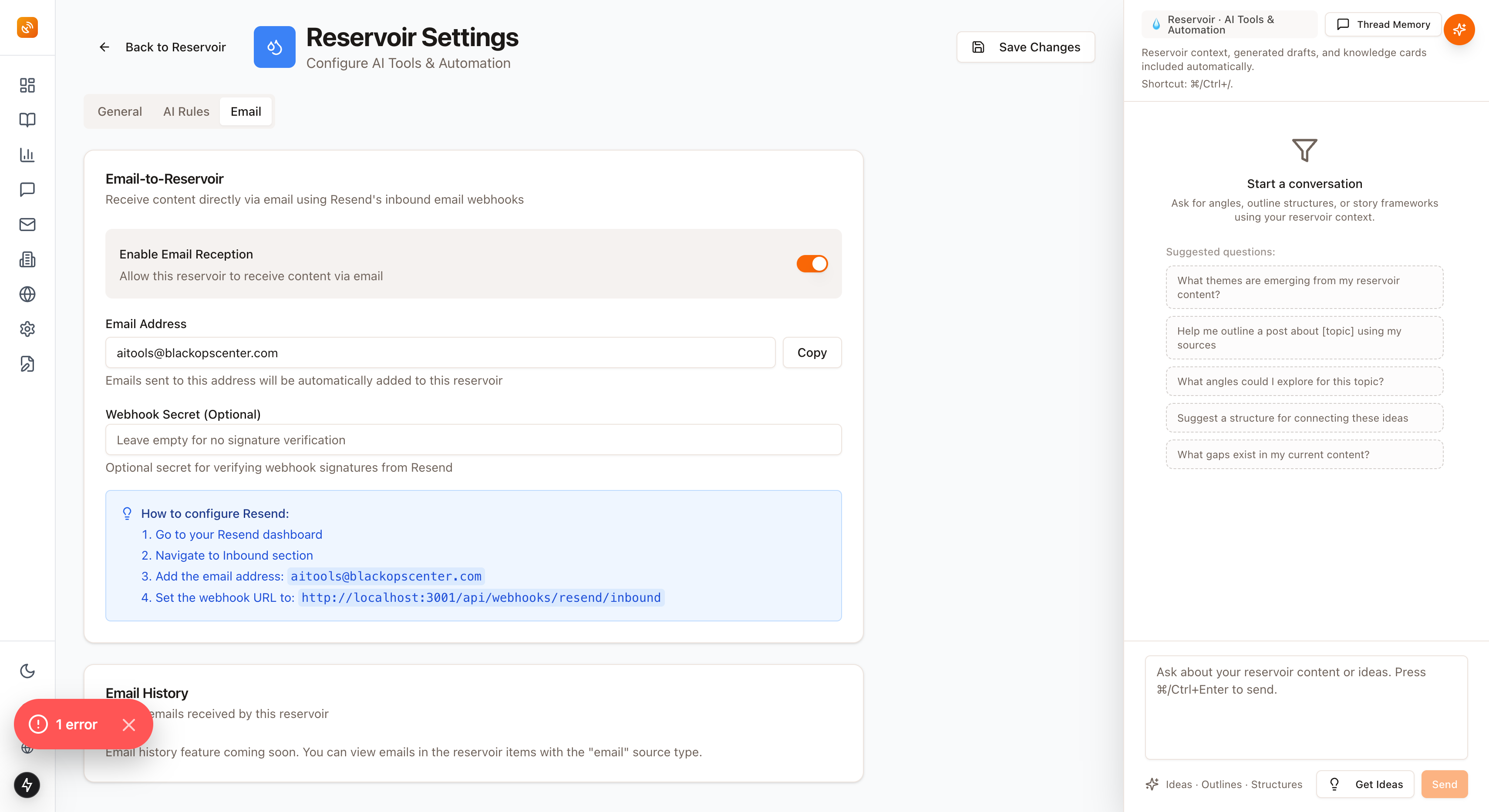
💡 Pro tip: Set up a keyboard shortcut to forward content to your Reservoir. Takes 2 seconds, compounds forever.
3. Teach the AI Your Voice
Knowledge Cards let you define your positioning, tone, and signature frameworks.
Example Knowledge Card for AI Strategy Reservoir:
-
Voice & Tone: "Lead with engineering credibility, avoid hype, reference real implementation experience"
-
Core Narrative: "AI tooling should reduce cognitive load, not create new complexity"
-
Signature Moves: "Always tie tools back to measurable time savings"
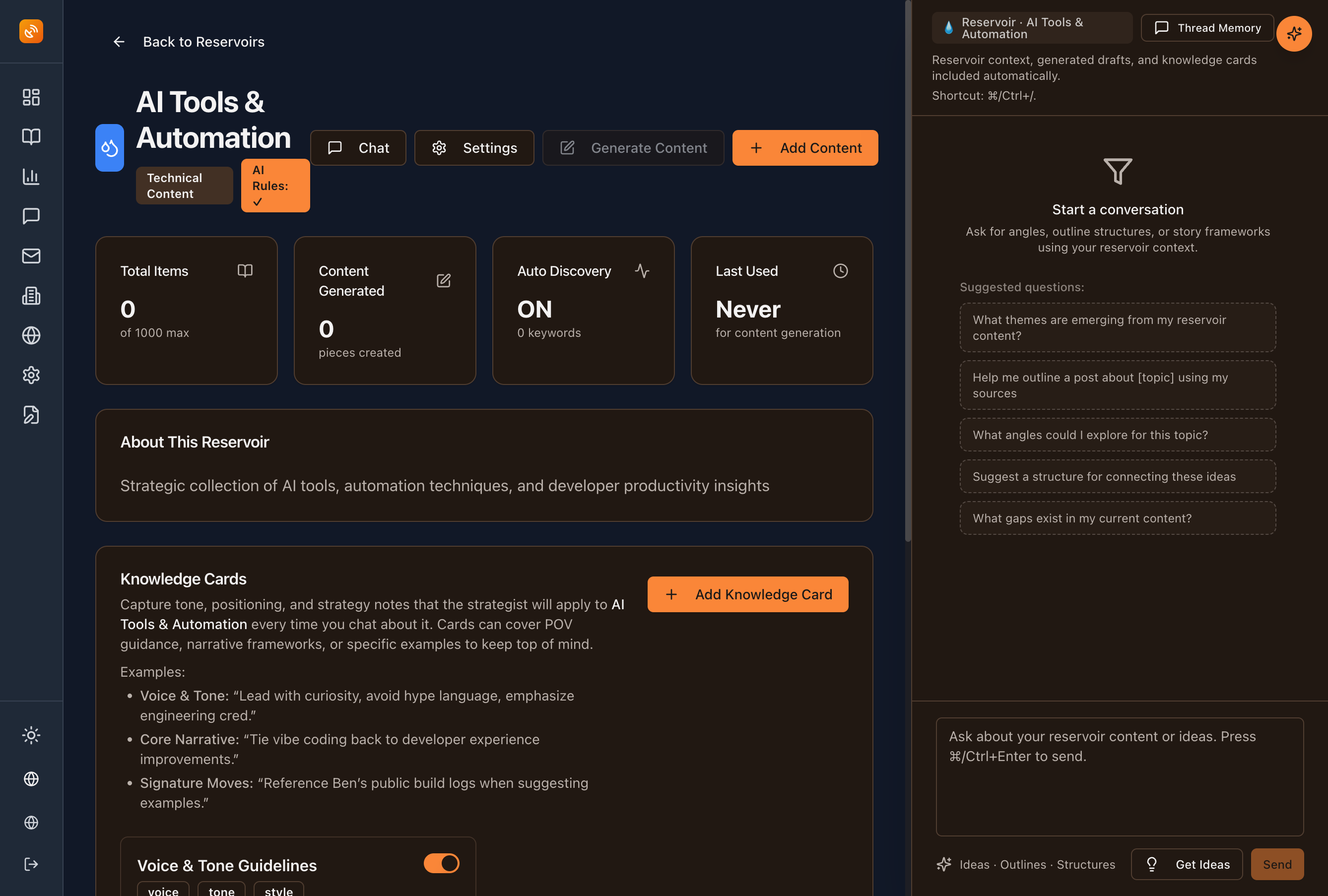
Now every piece of content generated from this Reservoir sounds exactly like you—because you taught it to.
4. Custom AI Rules for Your Domain
Each Reservoir has its own AI configuration. Write detailed guidance for how content should be analyzed and transformed.
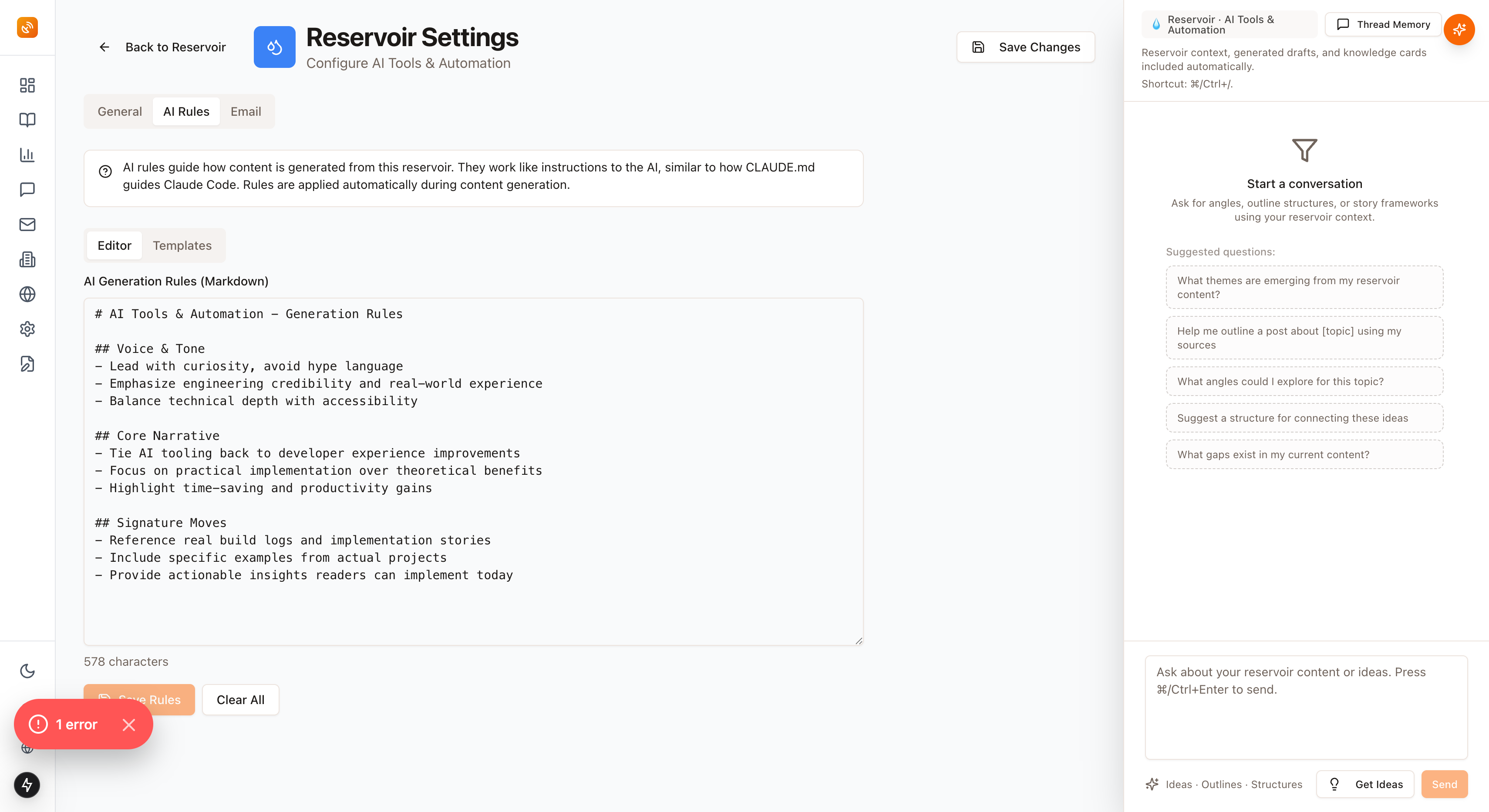
Choose from prebuilt templates:
-
Technical Content - For engineering blogs and deep-dives
-
Business Strategy - For advisory and consulting content
-
Creator Economy - For audience-building and thought leadership
Or write your own. The AI follows your rules every time.
Real-World Executive Usage
Sarah, Fractional CMO:
-
Reservoir: B2B SaaS Marketing
-
Auto-Discovery Keywords: pipeline velocity, product-led growth, demand generation ROI
-
Result: Turned a Hacker News thread about PLG into a LinkedIn post that generated 12 qualified leads
-
Time invested: 7 minutes from discovery to published post
Marcus, Strategy Consultant:
-
Reservoir: Enterprise Digital Transformation
-
Manual Additions: Client case studies, McKinsey reports, internal frameworks
-
Result: Generated a client presentation deck in 15 minutes using his Reservoir's curated intelligence
-
Client feedback: "This is the most relevant strategy brief we've received"
Alex, Technical Fractional CTO:
-
Reservoir: Developer Experience & AI Tooling
-
Knowledge Cards: Engineering credibility positioning, implementation-first approach
-
Result: Published 3 technical blog posts in a week, all driving inbound advisory requests
-
Previous timeline: 2-3 weeks per post
Configuration That Compounds
General Settings
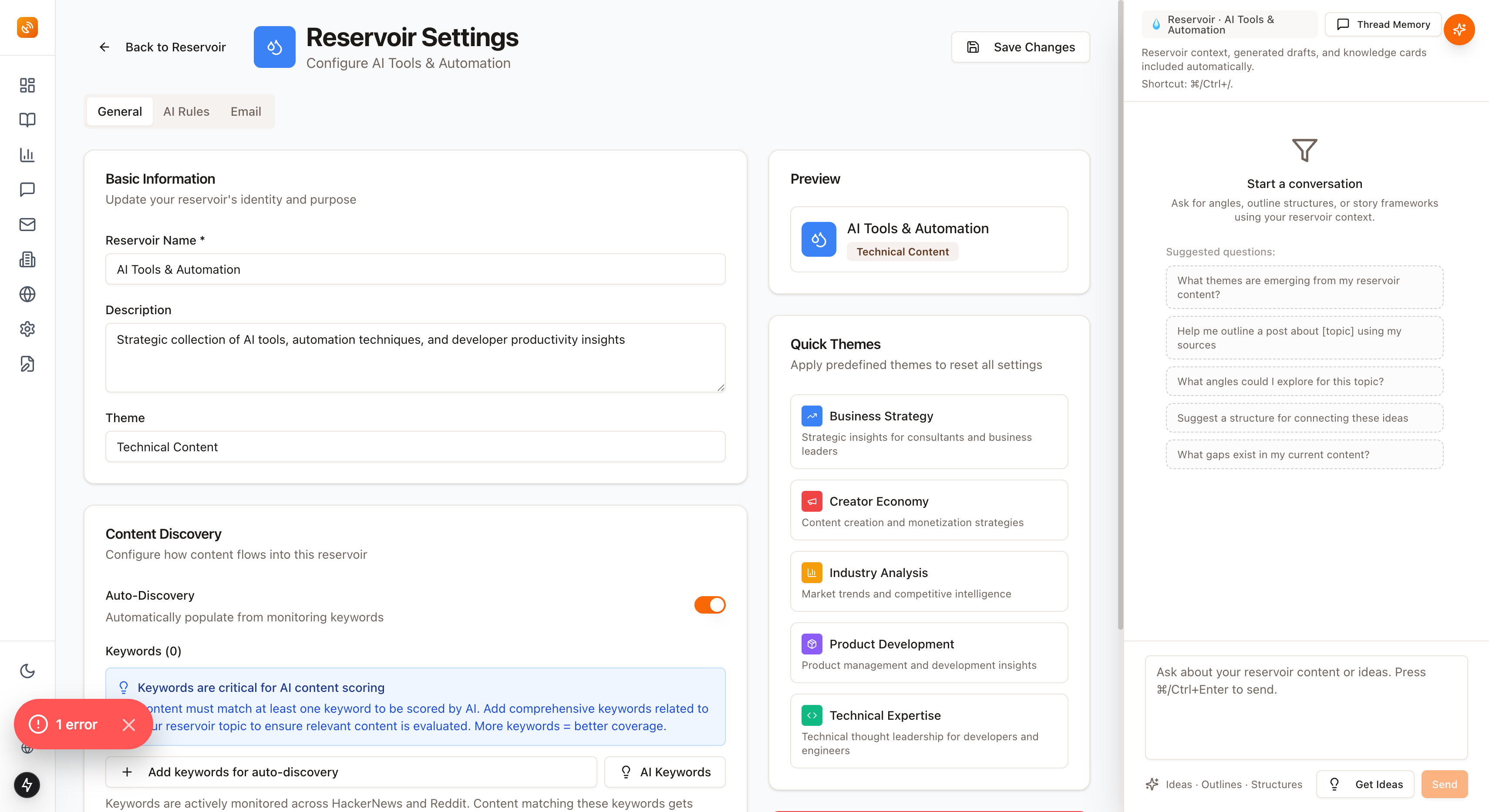
Set it once, benefit forever:
-
Name and thematic tags for easy organization
-
Auto-Discovery keywords and relevance threshold
-
Maximum content cap (default: 1,000 items—that's 2+ years of daily intelligence)
-
Danger Zone for permanent deletion (when you need a fresh start)
Email Integration
Every Reservoir gets a unique, secure email address. Forward anything worth keeping.
Your EA can send you competitor intelligence. You can forward from mobile. Your research assistant can contribute directly.
All of it lands in the right Reservoir, automatically organized.
Working With Your Intelligence Vault
Four quick actions from every Reservoir card:
-
Chat - Ask your AI strategist questions about the Reservoir's content
-
Generate Content - Turn intelligence into posts, threads, or newsletters instantly
-
Add Content - Manually capture new discoveries
-
Settings - Adjust configuration anytime
No switching contexts. No lost momentum.
Why This Changes Everything
Traditional approach:
- Bookmark 47 articles → Forget they exist → Start from scratch
Reservoir approach:
- Capture continuously → Organize automatically → Generate instantly
Time ROI calculation:
-
Configure a Reservoir: 10 minutes
-
Weekly time saved on research: 3-5 hours
-
Monthly time saved: 12-20 hours
-
Annual value: 144-240 hours of strategic research time
At your hourly rate, what's that worth?
While your competitors are still scrolling, you're turning today's conversations into tomorrow's advisory engagements.
The Compounding Advantage
Reservoirs don't just store information. They accumulate strategic context.
Every article you add strengthens the AI's understanding of your domain. Every Knowledge Card refines your voice. Every piece of generated content proves what resonates.
Three months from now, your Reservoirs will know your positioning better than most consultants know their own elevator pitch.
Six months from now, you'll wonder how you ever created content without them.
Getting Started
Step 1: Create your first Reservoir (2 minutes)
-
Pick your most important advisory domain
-
Add 3-5 core keywords
-
Set your relevance threshold to 0.7 to start
Step 2: Let Auto-Discovery run for 48 hours
-
Check what it captures
-
Adjust keywords and threshold as needed
-
Add your first Knowledge Card
Step 3: Generate your first piece of content
-
Use the Chat feature to explore your Reservoir
-
Generate a LinkedIn post or blog outline
-
See how your curated intelligence transforms into strategic content
Time investment: 10 minutes of setup Ongoing benefit: Strategic intelligence that compounds daily
Your Content Monitor Is Already Working
If you're monitoring keywords in BlackOps Center, relevant content is already flowing in.
Create your first Reservoir. Point it at your existing monitors. Watch your scattered intelligence organize itself into strategic advantage.
👉 Request Early Access to BlackOps Center - Join the executives who are turning information overload into competitive intelligence.
What Feeds Your Reservoir?
Reservoirs are powerful—but they're only as good as the intelligence flowing into them.
Next up: Content Monitoring. The system that watches Reddit, Hacker News, and RSS feeds 24/7 so you don't have to.
While you're in meetings, your monitors are capturing the conversations that matter. Every relevant thread, every industry signal, every competitive move—automatically scored and ready for your Reservoirs.
Coming next: How to set up monitoring that turns social noise into strategic advantage.
Related Posts

Your Content Intelligence Command Center is Live
Your complete content intelligence platform is live. Monitor Reddit, HackerNews, YouTube, Twitter, and RSS feeds 24/7. AI scores every piece of content 1-10. Transform high-value insights into thought leadership. No more drowning in information.
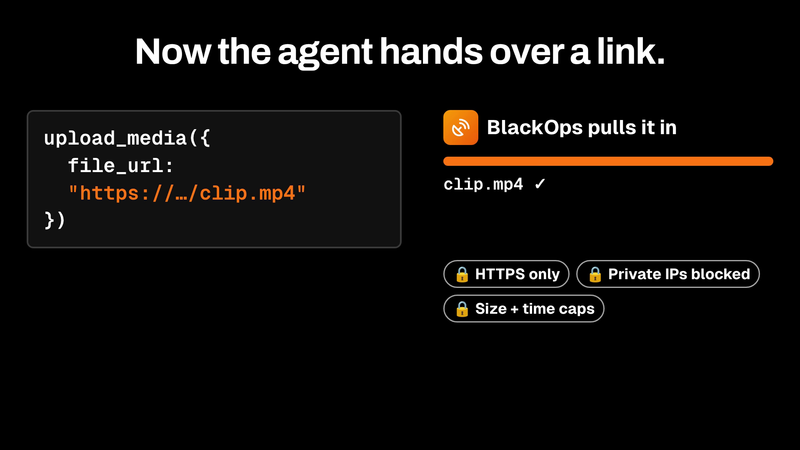
upload_media now pulls files in by URL
upload_media now takes a file_url. BlackOps fetches the file server-side behind SSRF guards and returns an asset ID that attaches straight to a tweet or post.

I kept forgetting my newsletter. Now BlackOps sends it and tells my readers why.
Set a schedule. If you miss it, BlackOps writes the issue from what you published, tells your readers it's covering for you, and sends it. Your own send always wins.