How to Build a Family Tree Brain in BlackOps
A family that always called itself fifth-generation Floridian. A BlackOps brain that found a sixth, step by step.
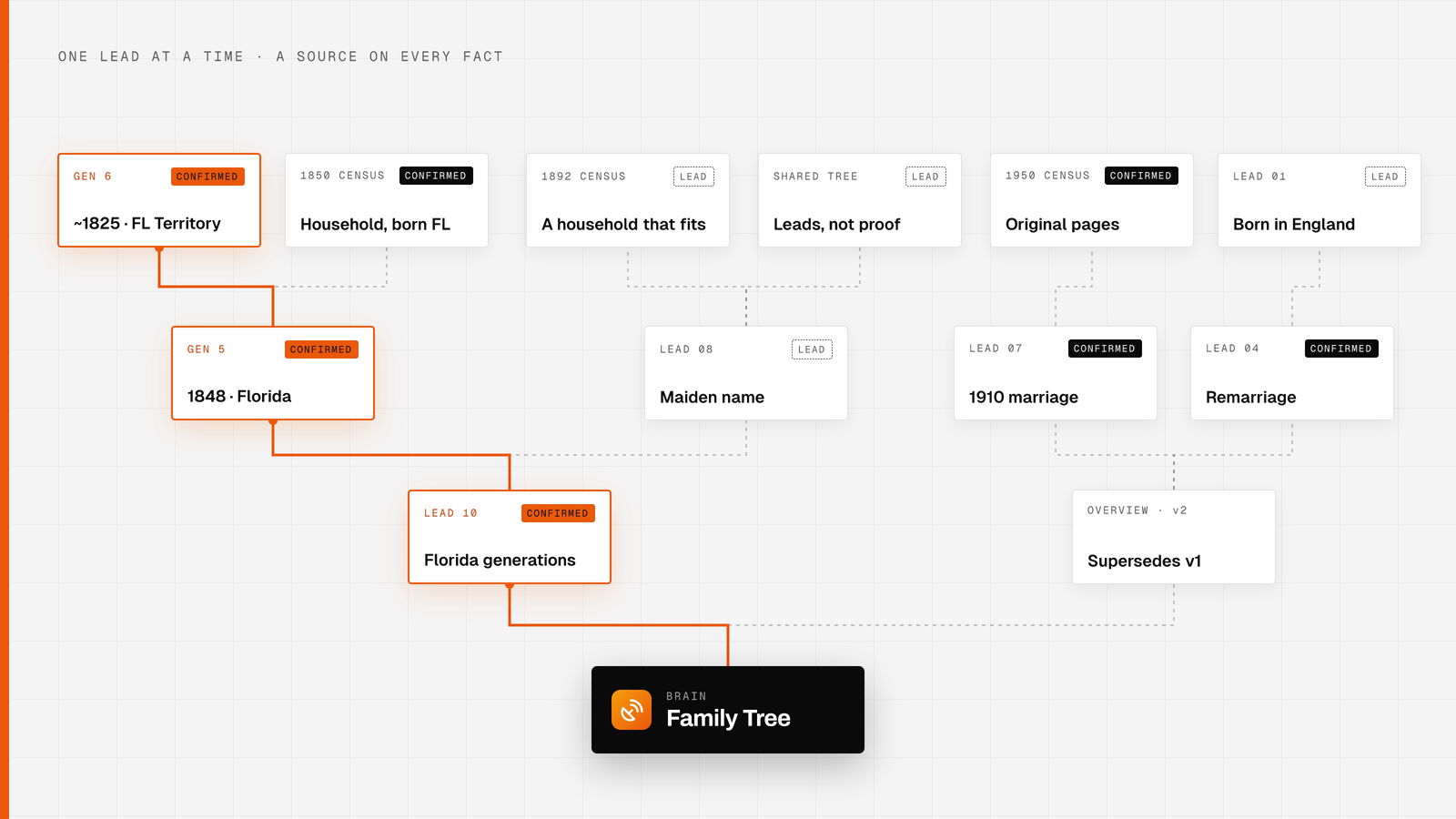
One of the brains we run at BlackOps is a family tree. The family behind it had always said it goes back five generations in Florida. Nobody had ever checked. So we built a family tree brain, connected an agent to it and set one rule: nothing counts without a record behind it. The records came back with six generations.
Here is the setup, step by step, so you can build one for your own family.
What you need
- A BlackOps account with a connected vault, so the brain's notes live as markdown files you own.
- An agent connected to BlackOps through the MCP, from Claude, ChatGPT, Grok or Cursor.
- Free accounts on the record sites you plan to search. FamilySearch and a free Ancestry account cover a lot.
Step 1: Create the brain
Open Brain and choose New Brain. Give it a Name, pick the Vault Target it should read from, and set a Source Folder Path so the family tree gets a folder of its own. You can also ask your agent to do this with create_brain.
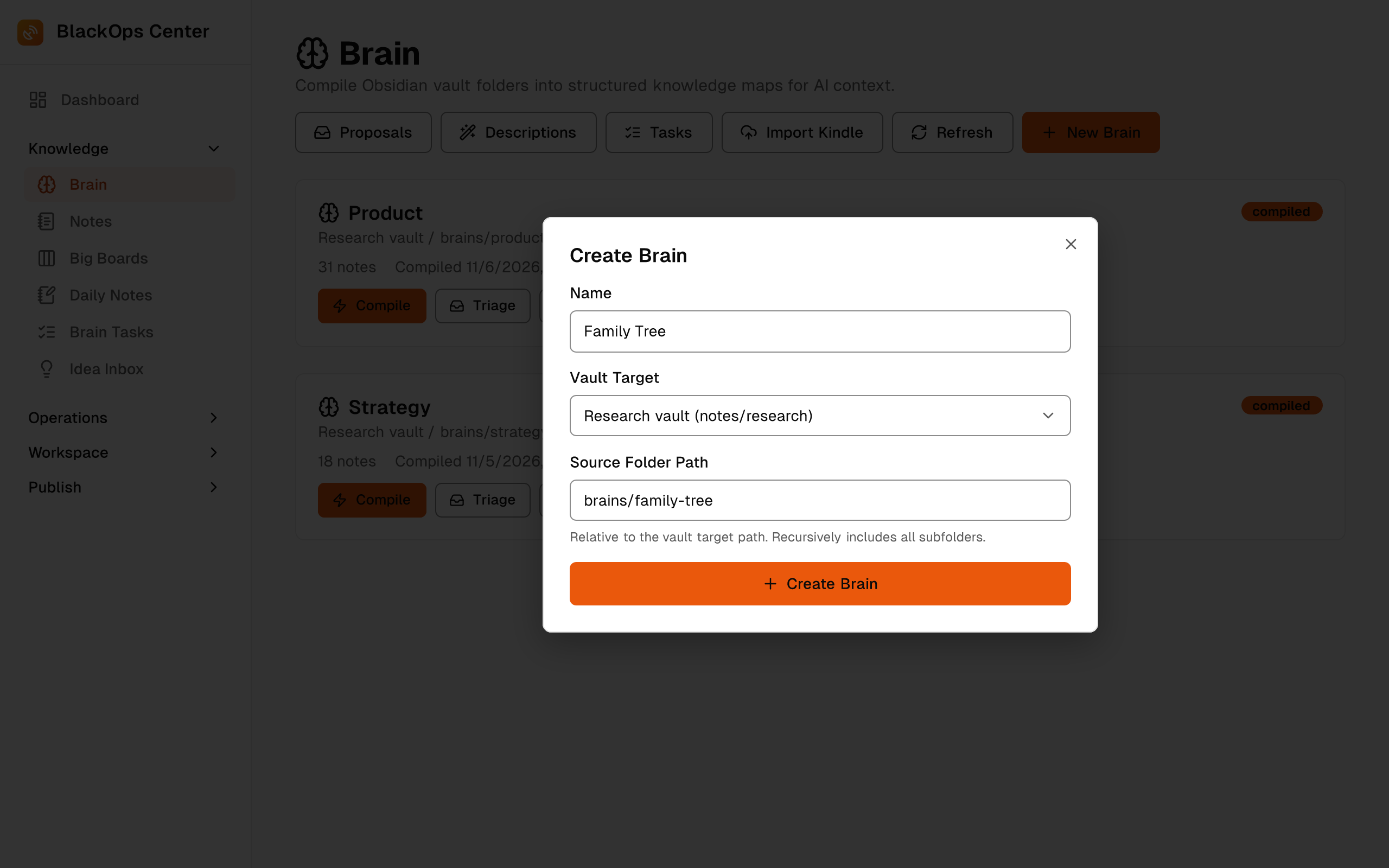
Then write a real description. Name the family lines it covers and say it holds people, sources and open research leads. The description tells your agent what the brain is for, so be specific.
Step 2: Write down what the family already says
Before any searching, put family knowledge in as notes: names, rough dates, places and the stories everyone repeats. Mark each one as a family account. These are starting points, and the research will either back them with a record or it won't.
Step 3: Give your agent the research rules
The rules are what make the brain trustworthy. Here are the ones we use:
- Work one lead at a time. Each lead gets a number and a single question.
- Save every finding as a new note with update_brain. Never rewrite an old one.
- Give every fact a source in words: the record type, the year and the place.
- Label each fact CONFIRMED when a record shows it, or LEAD when it only points somewhere.
- Treat the shared FamilySearch tree as a source of leads. It never counts as proof on its own.
- Check with you before saving anything surprising.
- Keep living relatives to first names on anything that gets shared.
- No edits on genealogy sites, no messages to anyone and no purchases without asking.
Save the rules as a note in the brain too, so every new session starts with them.
Step 4: Run one lead at a time
A lead starts with one question. One of ours asked for a great-grandmother's maiden name. Another asked the Florida question directly: do the records support five generations, or more?
The agent reads the brain first with get_brain, so it knows what earlier leads found and ruled out. Then it searches and saves the result as a new note, with each fact labeled and sourced. The screens in this post are mockups of the BlackOps views, with names and record details changed.
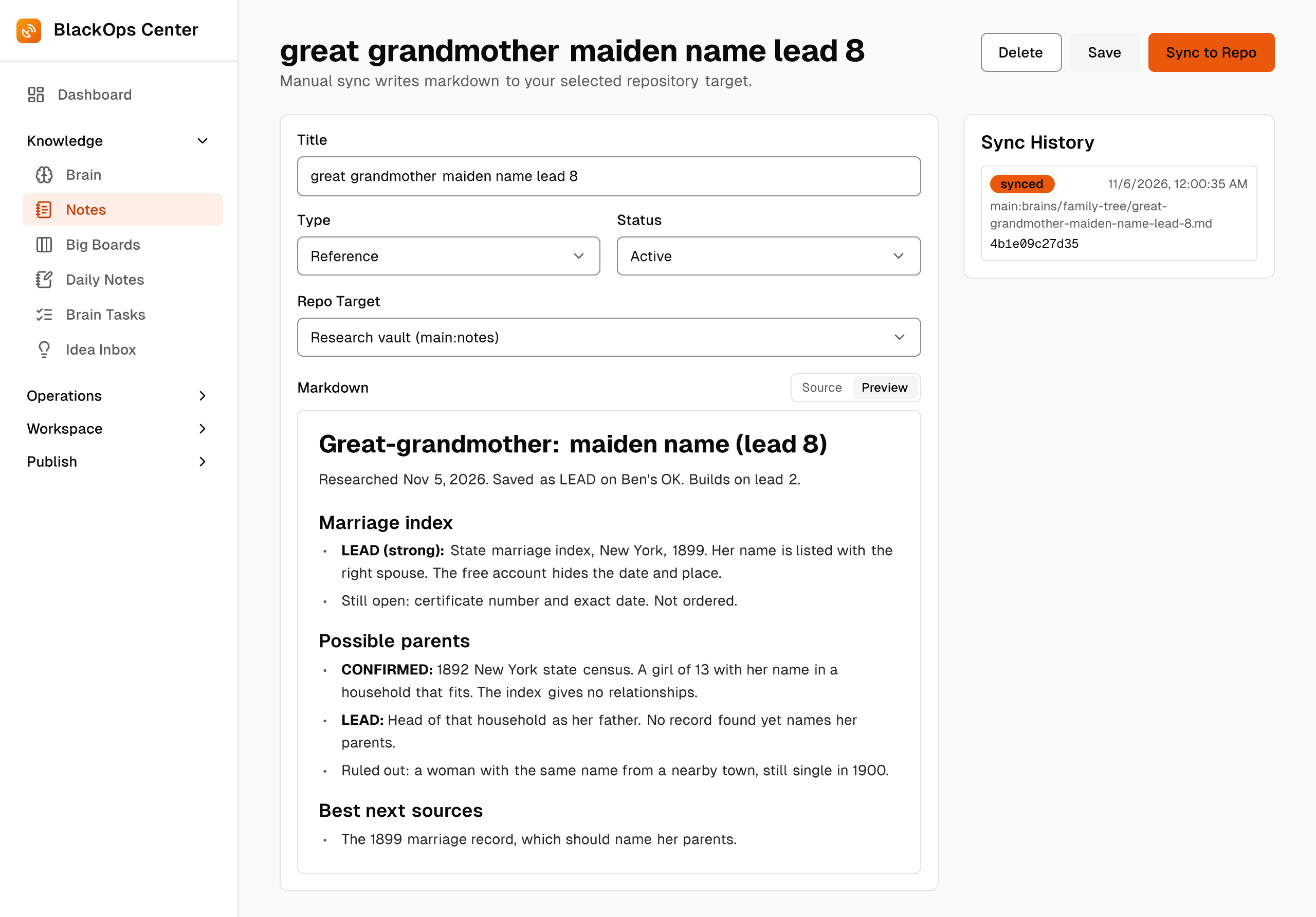
When it finishes, the agent reports in a few lines what it confirmed, what's still open and the name of the note it saved. Dead ends get a note too, so the next pass doesn't chase the same-named woman from the next town over.
Step 5: Correct with new notes, not edits
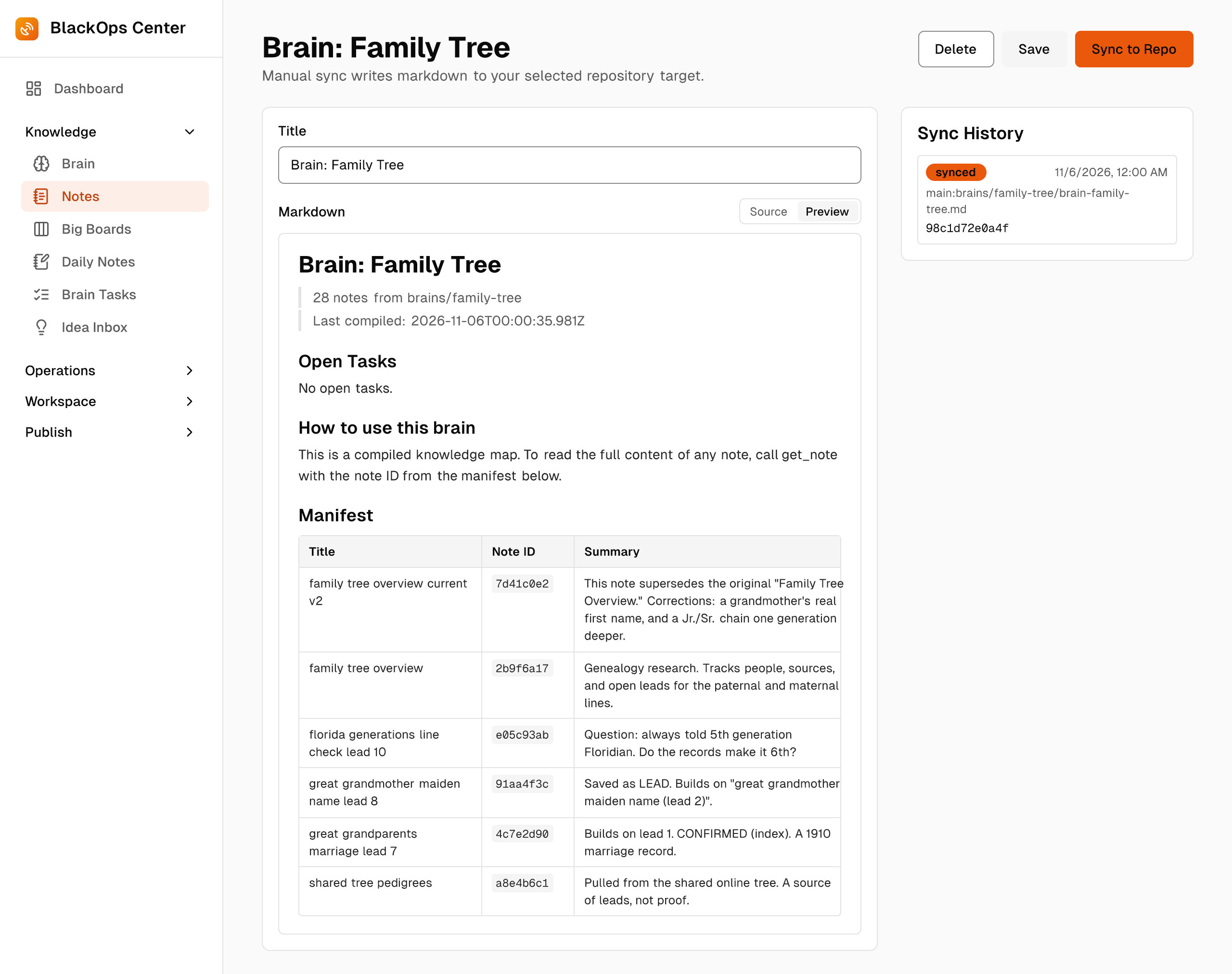
Family research is full of corrections. When a finding changes the picture, the agent writes a new note that supersedes the old one and leaves the old one in place. Our overview is on its second version. It fixes a grandmother's real first name and pushes a Jr./Sr. chain one generation deeper, and the first version is still there, so you can see what changed and why.
BlackOps compiles every note into one knowledge map with a title, an ID and a summary for each. Open it any time with View Compiled Note. This brain is past 40 notes now, and the agent still reads the whole map in one call before it opens the notes it needs.
Step 6: Track open questions as Brain Tasks
Some answers only a relative has. When a lead stalls on one of those, open a task against the brain with open_brain_task. It shows at the top of the brain and in a daily reminder email until you close it.
Step 7: Turn the brain into a page you can share
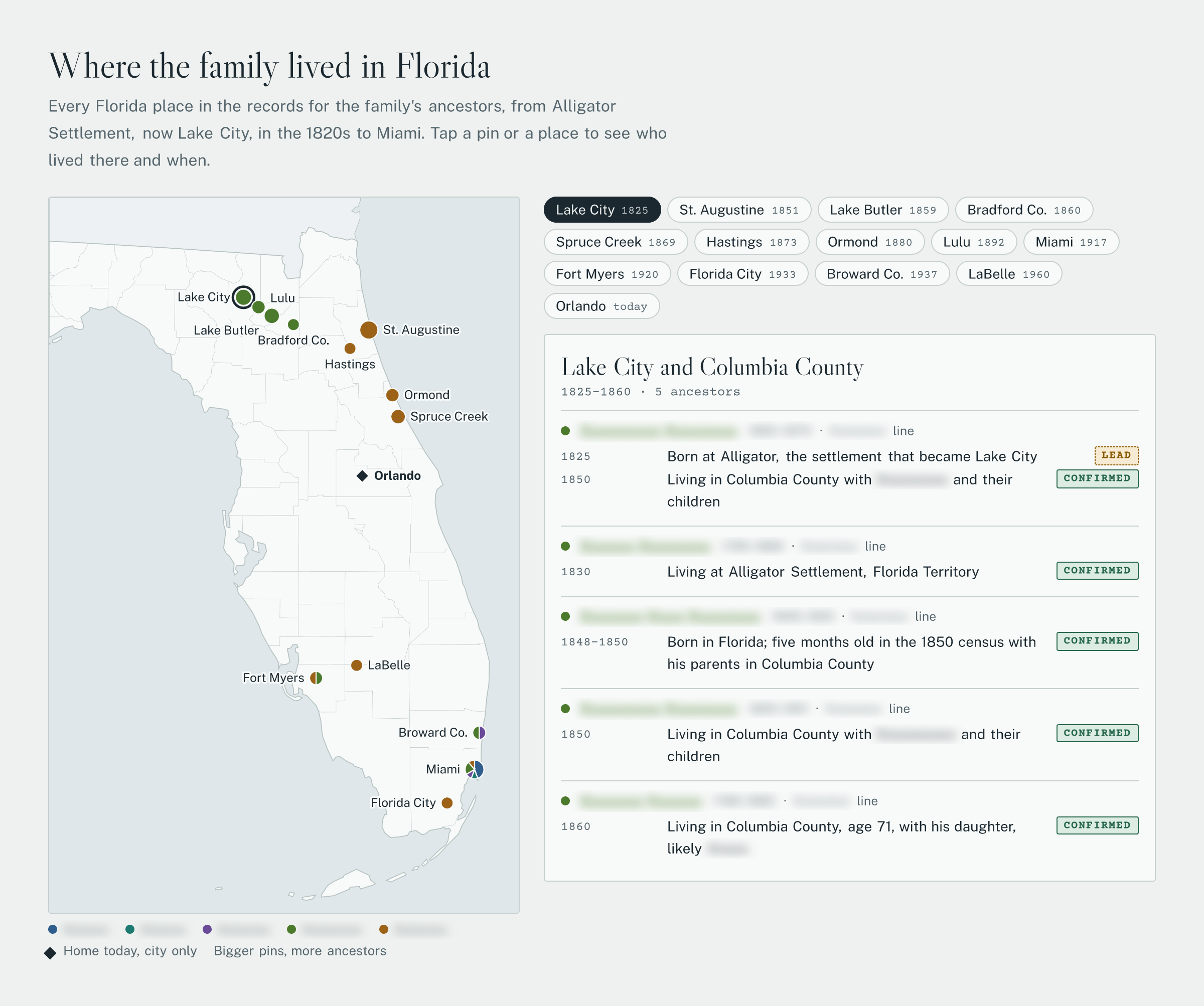
Once the brain had enough in it, we asked the agent to build a family page from it. It has a pedigree chart with a record card for each person, every fact tagged CONFIRMED or LEAD, and a Florida map that pins each place in the records, oldest first. Living family shows up by first name only, with no dates or places.
Here's the Florida section of that page, with every name blurred for this post. Pick a place and it lists who lived there and when, with the label from the record behind each line.
Your agent can publish a page like this from BlackOps three ways:
- A page on your site: the agent builds it with your site's brand design, and it stays a draft until you publish it.
- A Hosted Assets link: publish_asset hands back a live link. Make it private and only people with the link can open it, which suits a page meant for family.
- An interactive blog post: on a site with its own custom domain, the map and the chart can run right inside the post.
The steps for rebuilding the page live in the brain as a note, so after each new lead the agent rebuilds the page from the same source and republishes it to the same link.
What the records said
Lead 10 traced one line back with a record at every step. The earliest Florida-born ancestor on it is a great-great-great-grandmother, born around 1825 in Florida Territory. She shows up in the 1850, 1860 and 1870 US censuses with Florida as her birthplace, and her son's 1920 Florida death record names her by her maiden name. Her husband and her likely parents were born in Georgia and South Carolina, so the Florida line starts with her.
Counting the living generation, that makes six Florida-born generations.
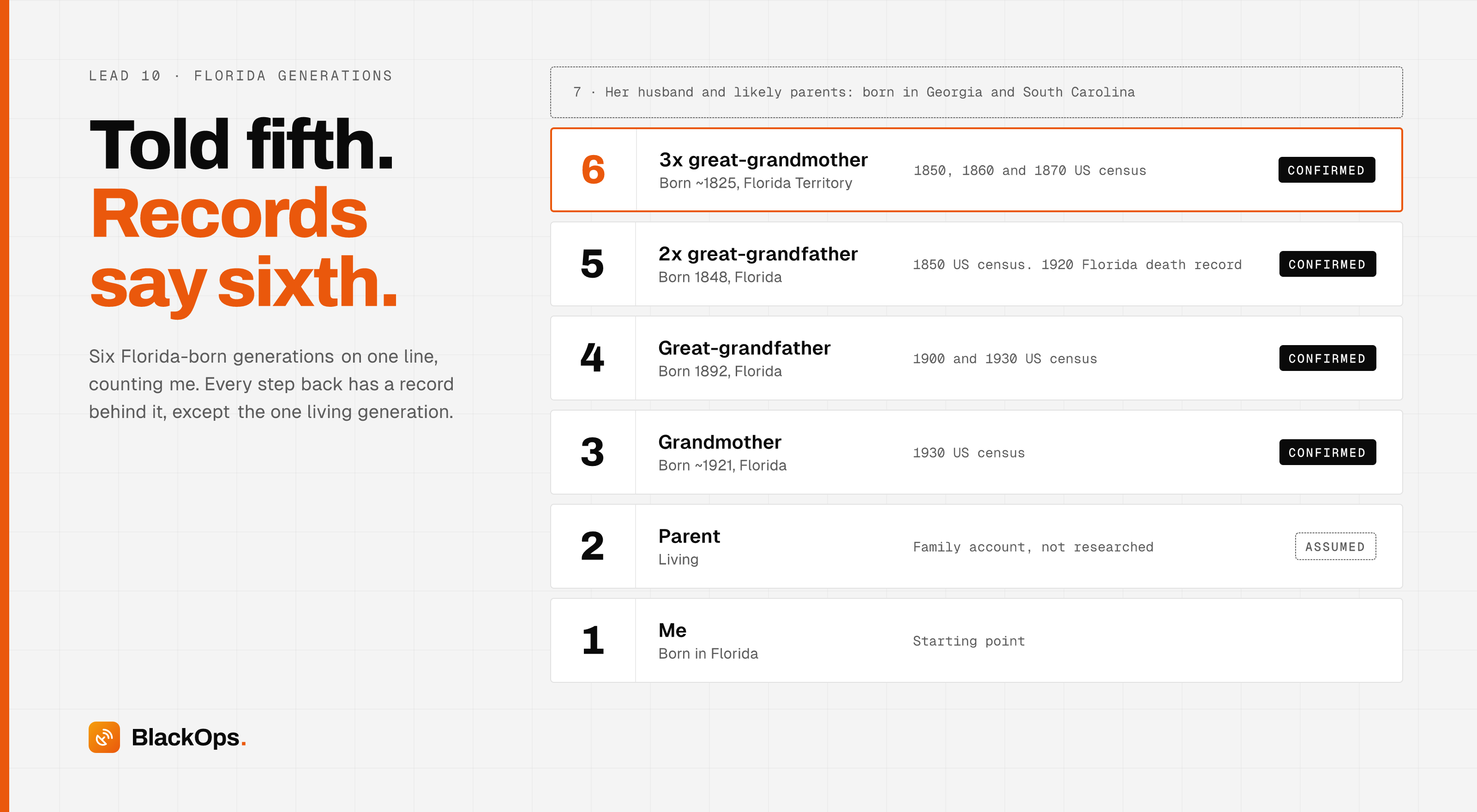
The agent kept the gaps labeled. Her exact birth date, her parents and a birthplace conflict on a second line are still LEADs. The one living generation in the chain rests on family knowledge, by design.
Start yours
You don't need the whole tree on day one. Create the brain, write down what the family says, give your agent the rules and ask it one question. The brain keeps every answer, and your agent picks up where it left off.
See how BlackOps works at blackopscenter.com. Follow @BlackOpsTools for product updates.
Related Posts

Your Agent Now Asks Which Brain a Note Belongs In
When your AI agent saves a note and no single brain clearly owns it, BlackOps doesn't guess. It saves the note and puts up to three choices in front of you, with reasons, in the chat you're already in.
Give Claude Code Memory Across Sessions
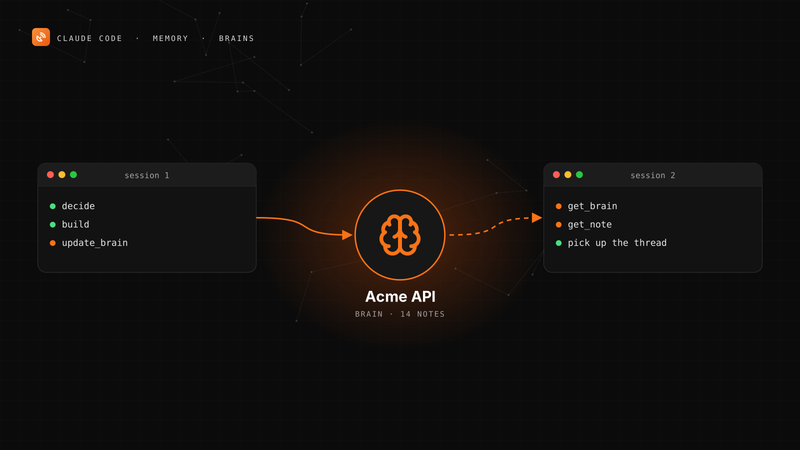
Claude Code starts every session with your code and CLAUDE.md and nothing else. Here's how to give it persistent, long-term memory with a BlackOps brain over MCP, in four steps.

Your Obsidian Daily Notes Can Finally Talk Back
You've been creating Obsidian daily notes for years. Now BlackOps writes them on your schedule, connects them to your calendar and brains, and lets you talk to them from any agent.