upload_media now pulls files in by URL
Agents hand BlackOps a link, get back an asset ID, and attach it. No human step.
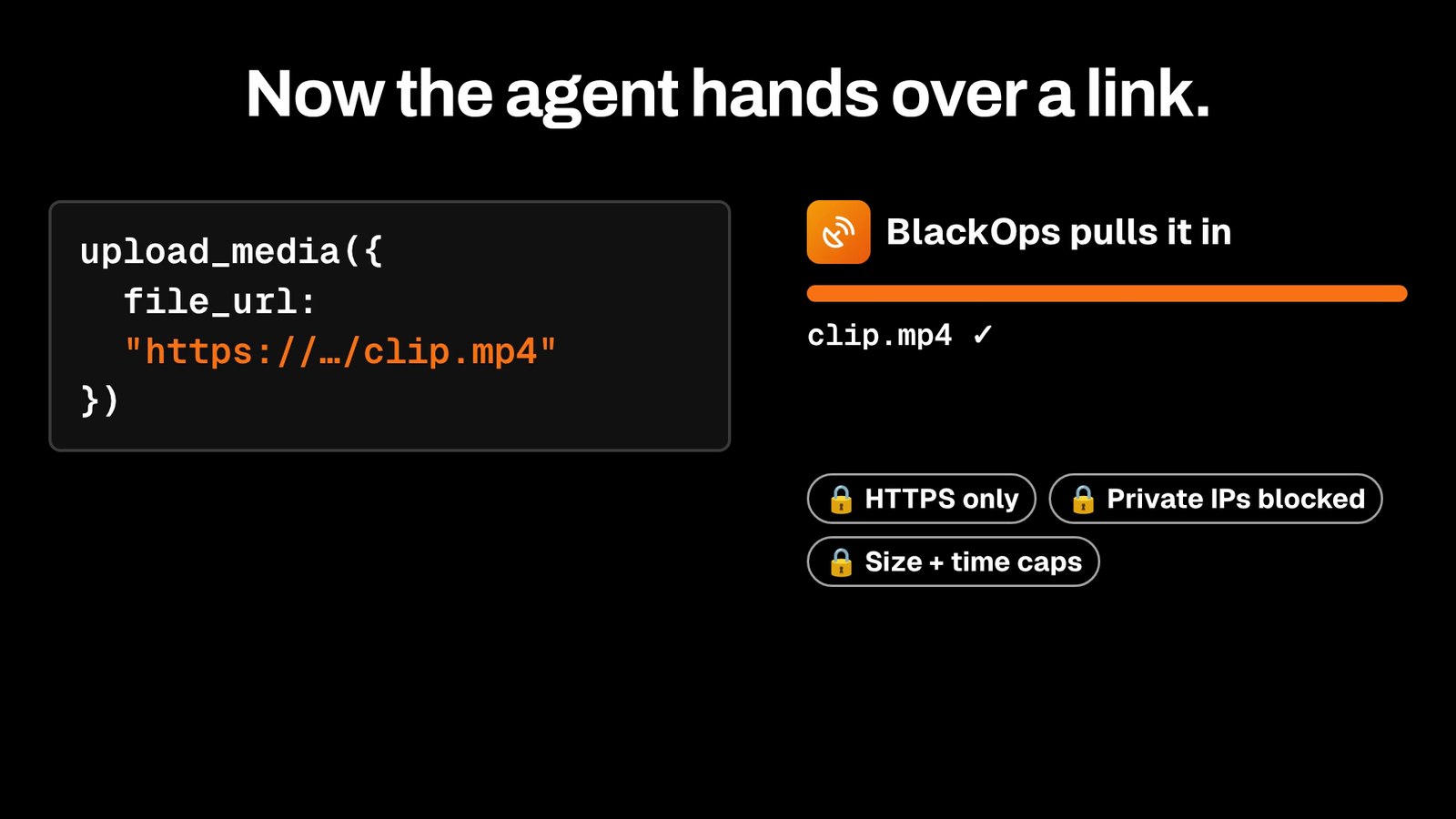
I shipped a change to upload_media today. When an agent made an image or a video, getting it into BlackOps still needed a person. The agent got back an upload link, and someone had to open it, drop the file in, and click Done before the agent could use it. I'm not building a system where I babysit an upload page, so that step is gone.
What shipped
upload_media takes a file_url now. The agent passes a link to the file it made, BlackOps fetches it from its own servers, and the same call returns a media asset ID. That ID attaches straight to a tweet or a blog post. One call, no upload page, nobody clicking anything.
How the fetch is guarded
A server fetching whatever URL it gets handed is a risk, so I locked it down:
- https links only
- private network and cloud metadata IP addresses are blocked
- images cap at 50 MB, videos at 1 GB
- the fetch times out after 15 seconds
Big videos
If a video is too big or too slow for that, an agent with its own computer uploads it directly. It PUTs the file to a presigned URL and calls finalize_media_upload. Finalizing only needs the token from the upload, so nobody has to sign in.
How to use it
Have your agent call upload_media with the file's https link:
upload_media({
  domain: "yourdomain.com",
  file_url: "https://example.com/clip.mp4",
  filename: "clip.mp4",
  content_type: "video/mp4"
})
You get back an asset_id. Pass it to attach_media_to_tweet for an X draft or attach_media_to_post for a blog post.
A lot of AI tools generate a file and then dump the busywork back on you. I want my agents doing the whole job, and my time going to judgment calls, not dragging files between tabs. The video at the top of this post got here that way. My agent rendered it, handed BlackOps a link, and attached the ID it got back.
Related Posts
A Screenshot Shouldn't Cost You 500,000 Tokens
Pasting a screenshot into your AI to file it in your media library used to torch your context window. We shipped Image Upload so the bytes never ride through the model again.

I kept forgetting my newsletter. Now BlackOps sends it and tells my readers why.
Set a schedule. If you miss it, BlackOps writes the issue from what you published, tells your readers it's covering for you, and sends it. Your own send always wins.
Your Obsidian Daily Notes Can Finally Talk Back
You've been creating Obsidian daily notes for years. Now BlackOps writes them on your schedule, connects them to your calendar and brains, and lets you talk to them from any AI chat.