Write one line. It's in the right brain by morning.
Write it in your Obsidian daily note's Work Log. By morning, BlackOps closes the to-dos and tasks you finished and files the rest into the brain each line is about.
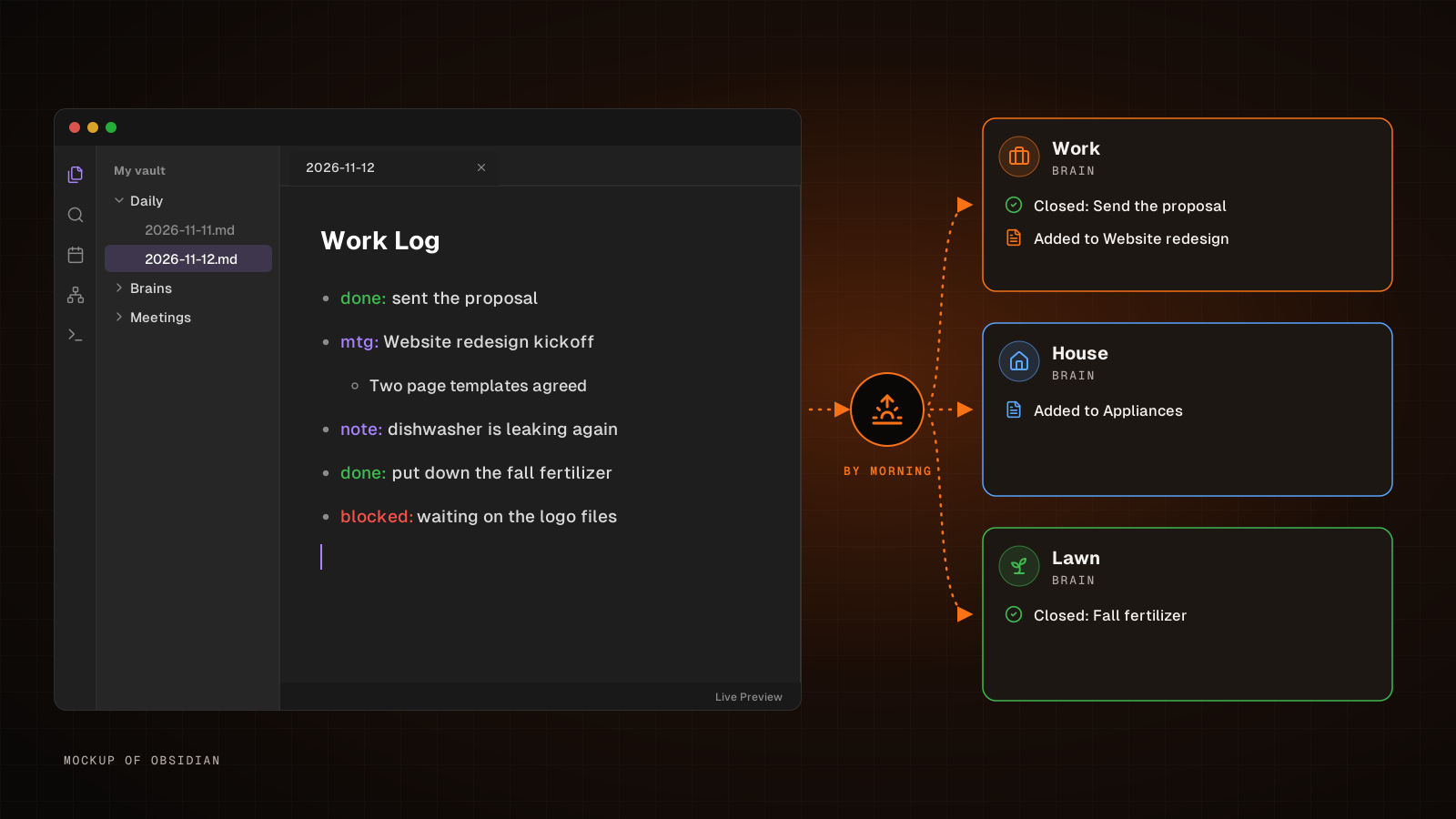
A brain is only as useful as what's in it. The meeting that moved a deadline, the to-do you finished, the leak the dishwasher sprang again. When those stay in your head, every agent that reads your brains is working from an old picture.
If you live in Obsidian, the fix fits right into the note you already open every morning. BlackOps writes your daily notes into your vault, and each one has a Work Log. You write one line in it for each thing that happened. By morning, BlackOps has closed the to-dos and brain tasks you finished, filed the rest into the brain note each line is about, and opened your next daily note with a list of what it did.
You write it once, in Obsidian. Your brains stay current, and every agent you connect to BlackOps reads the same up-to-date picture.
What it looks like in Obsidian
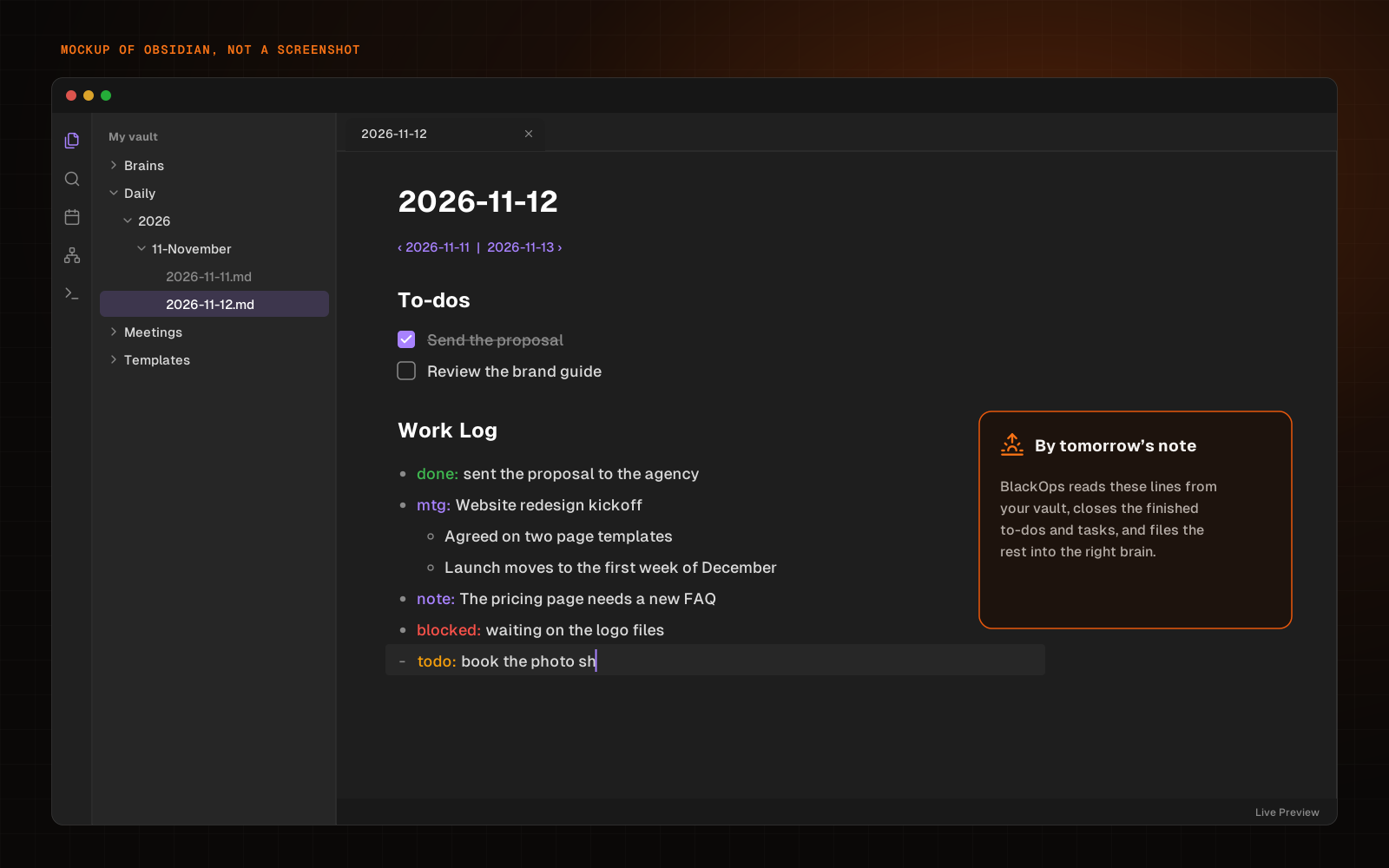
Open today's note in your vault and scroll to Work Log. Each line starts with a prefix so BlackOps knows what kind of line it is:
done:Something you finished. The matching open to-do or brain task is closed.mtg:A meeting and what came out of it. The line and its details go into the brain note it's about.note:An update, a decision or an idea. Added to the brain note it's about.blocked:Work that's stuck or waiting. Added to the brain note it's about.todo:Something you still need to do. It becomes a new to-do on your next note.
A line with no prefix still works. BlackOps works out which kind it is, and if it can't tell, it asks you instead of guessing.
Indent details under a line the way you already do in Obsidian. Here's the same Work Log as plain markdown, so you can copy the shape:
## Work Log

- done: sent the proposal to the agency
- mtg: Website redesign kickoff
  - Agreed on two page templates
  - Launch moves to the first week of December
- note: The pricing page needs a new FAQ
- blocked: waiting on the logo files
- todo: book the photo shoot
- done: cleaned up the old drafts
That's the whole habit. A few seconds whenever something happens, and you keep working.
The loop
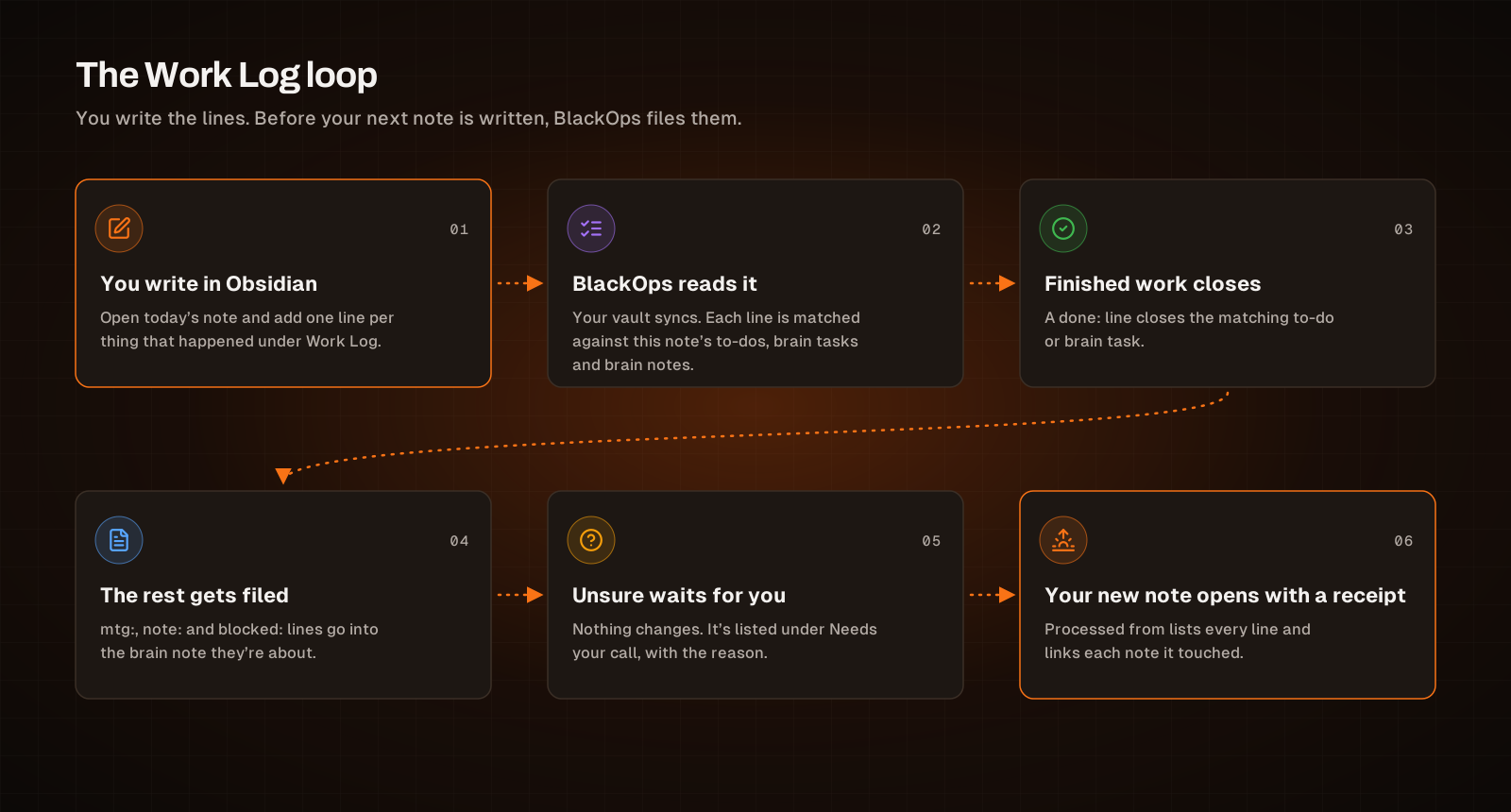
- You write in Obsidian. Add a line under the note's Work Log heading for each thing that happened, with any details indented under it.
- BlackOps reads it. Your vault syncs, and before your next note is written each line is matched against this note's own to-dos, the open tasks in its brains and the notes in those brains.
- Finished work closes. A
done:line closes the matching to-do or brain task. - The rest gets filed. Meetings, updates and blockers go into the brain note they're about.
- Anything unsure waits for you. Nothing changes. The line is listed under Needs your call, with the reason.
- Your new note opens with a receipt. A Processed from block lists what happened to every line and links each note it touched.
What you see in the morning
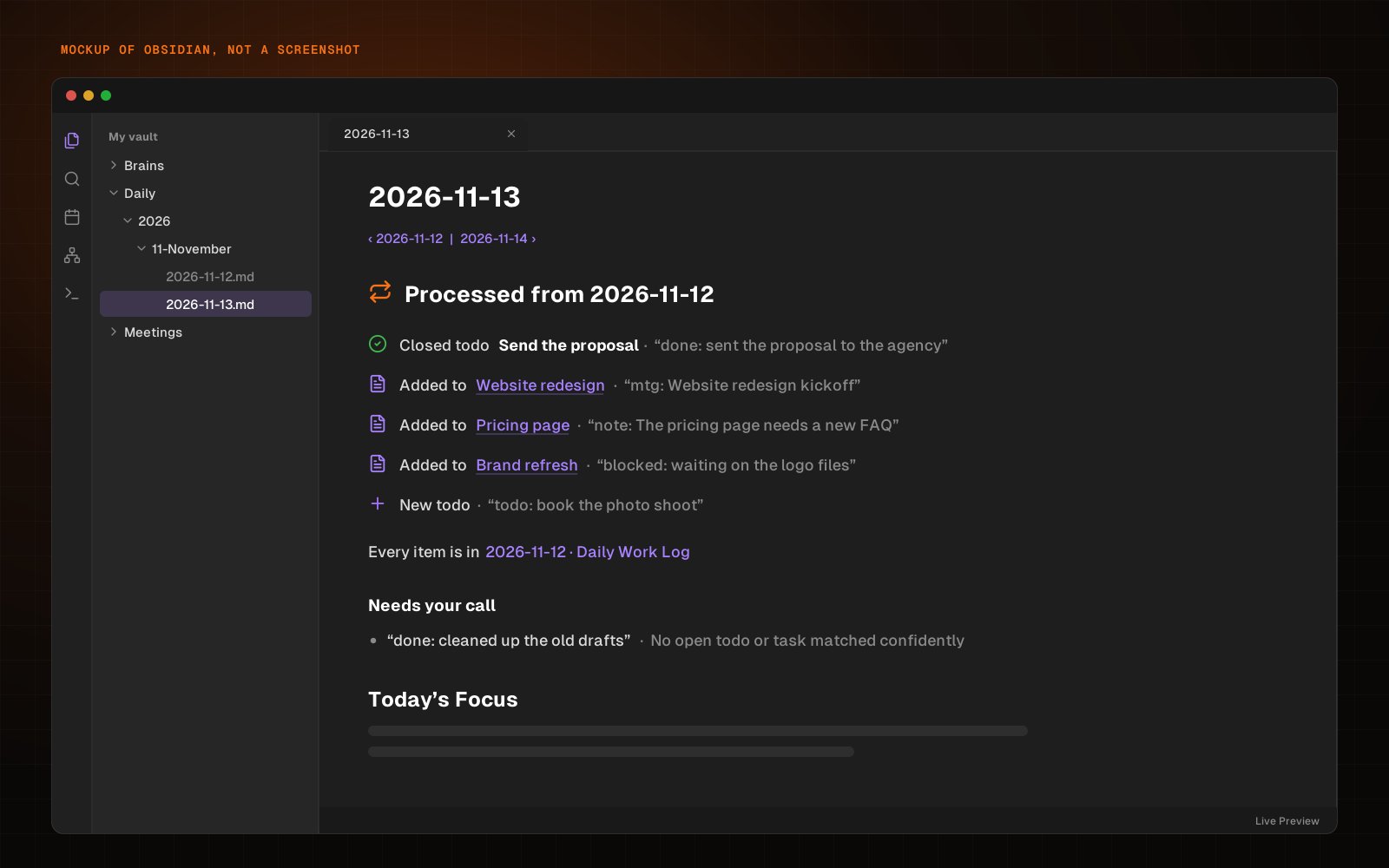
Your next daily note lands in your vault with the receipt at the top, right after the links to the previous and next day. Each line shows what BlackOps did and links the brain note it touched, so you can click straight through in Obsidian and check. Here, the proposal to-do is closed, three lines went into the brain notes they're about, and the photo shoot is a new to-do.
The last line didn't match an open to-do confidently, so BlackOps left it alone and listed it under Needs your call, with the reason. Nothing in that list was changed.
One note, several brains
Brains work best when each one covers one part of your life. A work brain. A house brain. A lawn brain. A daily note can point at as many brains as you like, and the Work Log files each line into the one it belongs to.
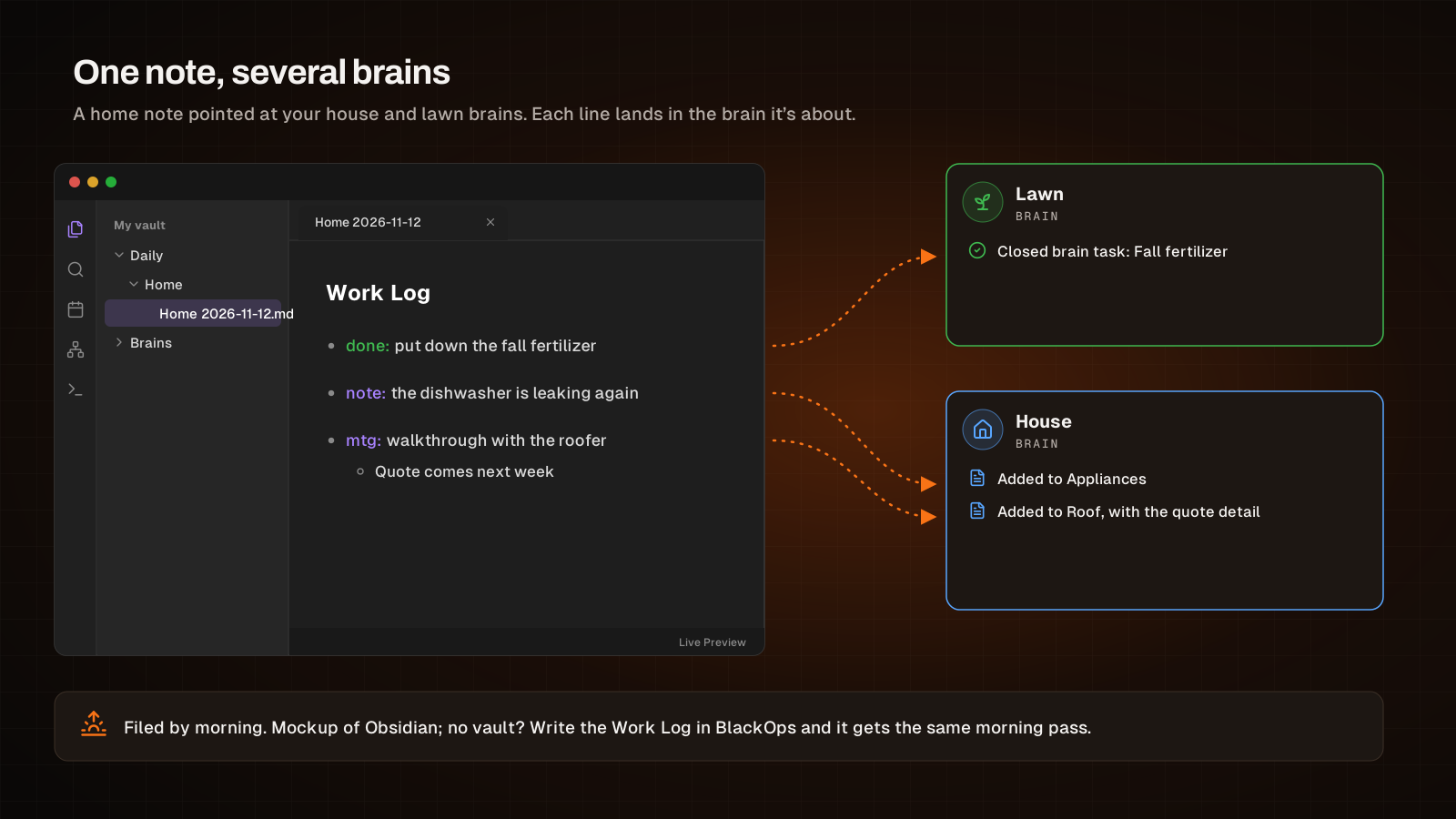
A home note pointed at your house and lawn brains might get:
## Work Log

- done: put down the fall fertilizer
- note: the dishwasher is leaking again
- mtg: walkthrough with the roofer
  - Quote comes next week
By morning, the fertilizer task in your lawn brain is closed, and the dishwasher and the roofer's walkthrough are in the house brain notes they're about.
You can also keep separate daily notes, one for work and one for home, each with its own brains, its own schedule and its own folder in your vault. If you can write a line in Obsidian, you can keep a brain current.
Set it up
- Connect your vault. BlackOps writes into your vault through GitHub. Go to Settings → Connect Repository, install the BlackOps GitHub App and pick the repo your vault lives in. If your vault isn't in a GitHub repo yet, the free Obsidian Git community plugin pushes it to one. The Knowledge Sync docs walk through it.
- Make a daily note. Go to Admin → Daily Notes and click New daily note. Name it for the part of your life it covers, and set where it's written in your vault.
- Pick its brains. Under Brains, pick the brains this note is about. Lines are only ever filed into these.
- Leave Work Log on. Under Work Log, leave Add a Work Log section and File it automatically on. A new daily note starts with both switched on.
- Keep a running record, if you want one. Pick a brain under Keep a daily log in a brain. Every Work Log line also goes into one dated note there, with where it was filed. A meeting, note or blocker with no better home is logged there instead of waiting on you.
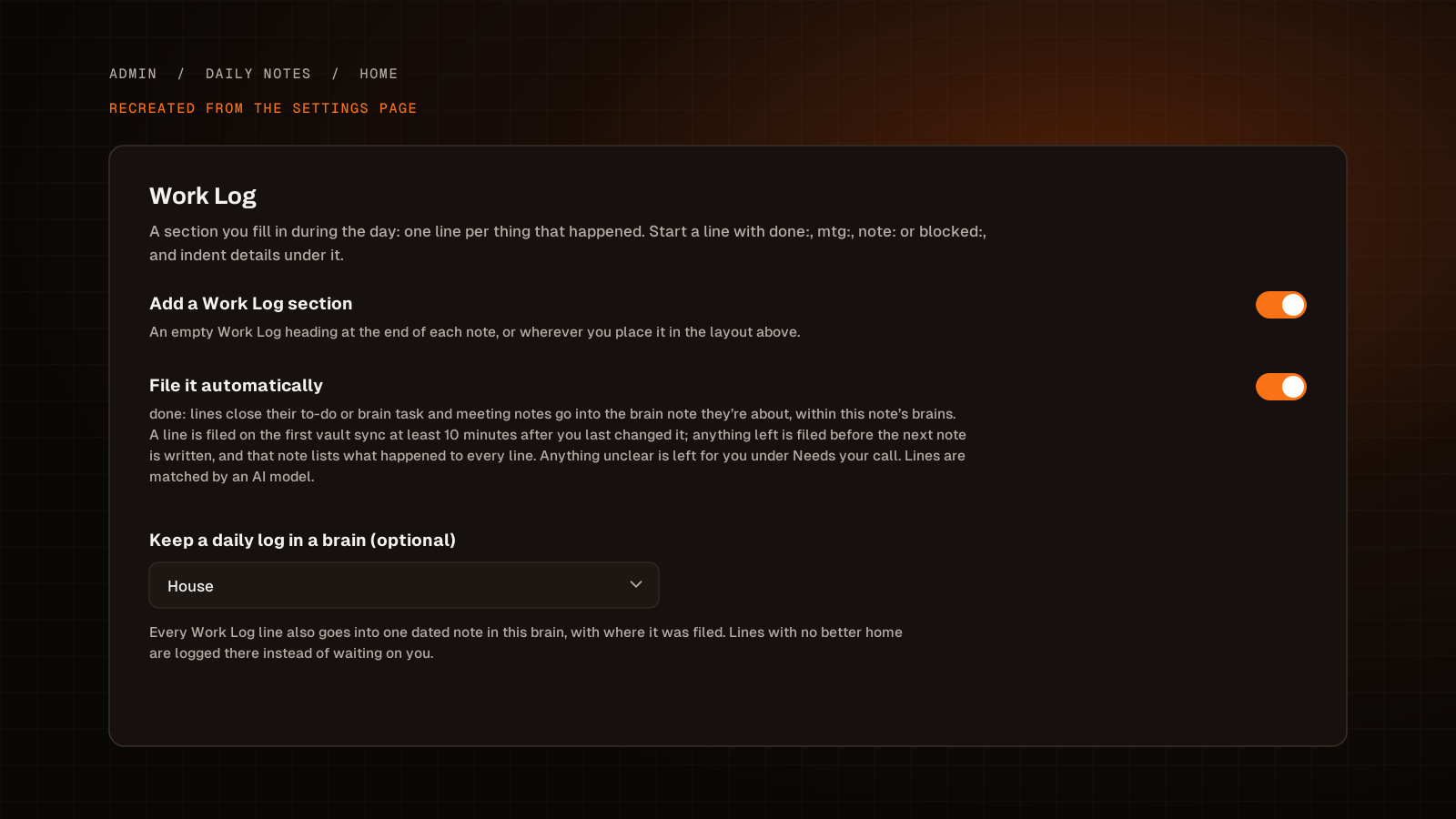
No vault? Write the Work Log in BlackOps instead and it gets the same morning pass.
Built to be trusted
Your brains are what your agents run on, so the Work Log is careful with them.
- It stays in scope. It only looks at this note's to-dos, the open tasks in this note's brains and the notes in those brains. It never closes or edits anything else.
- It only acts when it's sure. A change is made only on a confident match. Everything else goes to Needs your call.
- It acts once. Each line is handled one time. Regenerating a note never closes a to-do twice or files a meeting twice.
- You can keep a note out. Tag it
no-autofilefor structured notes like a ledger, where an added bullet would land in the wrong place.
Start with one line
Set up one daily note, point it at the brains you care about, and when it lands in your vault, write one line in its Work Log before you wrap up for the day. Your next note will show you where that line went.
Build brains your agents can actually run on. See how BlackOps works at blackopscenter.com, or start your trial.
Related Posts
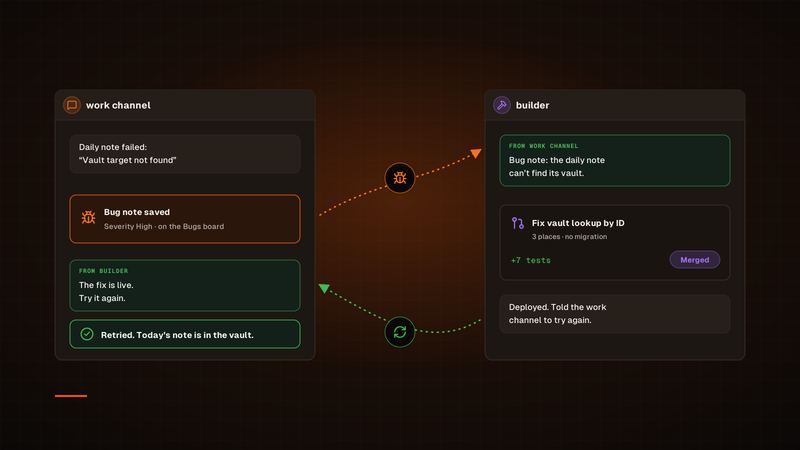
One agent finds the bug. Another ships the fix.
Our bug fixes used to run through a Sortie, and every one started its own session. Now a channel hands its bug to our builder channel in Claude Duet, builder ships the fix, and the channel that found the bug tries again. To check on a fix, we just open builder.
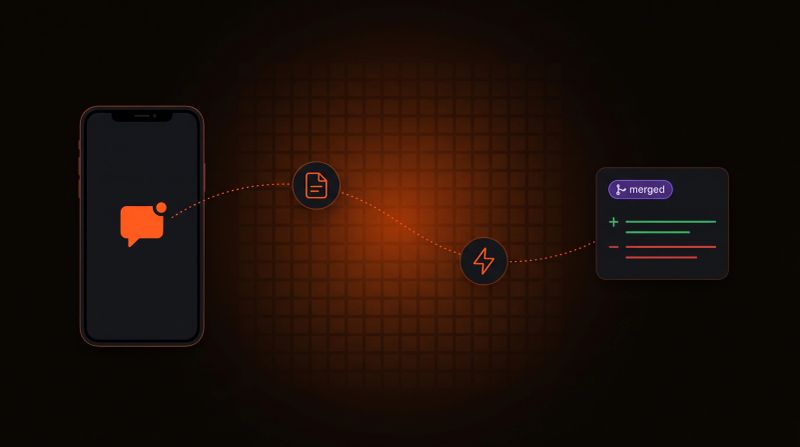
Log a Bug From Your Phone, Get a PR Back
Report a bug in any chat with your agent. BlackOps files it as a bug note, fires a coding agent that opens a pull request, and closes the note after you merge.

Your Obsidian Daily Notes Can Finally Talk Back
You've been creating Obsidian daily notes for years. Now BlackOps writes them on your schedule, connects them to your calendar and brains, and lets you talk to them from any agent.