Problem Briefing
Content Calendar Chaos Ends Here
Streamline your content strategy with BlackOps Center's intelligence.
What You Are Seeing
Content calendar chaos is a common issue for founders. You might be experiencing missed deadlines, inconsistent content themes, and a lack of strategic alignment across your content. This chaos often leads to wasted resources and missed opportunities to engage your audience effectively. Consider the last time you launched a campaign only to find it lacked cohesion or failed to resonate with your target audience. These are symptoms of a deeper issue: a lack of strategic content orchestration.
Operational Root Cause
The chaos in your content calendar often stems from:
- Random Content Creation: Without a strategic plan, content is created ad-hoc, leading to inconsistency.
- Lack of Theme Organization: Content is scattered across topics, making it hard to build authority in any one area.
- Inadequate Resource Allocation: Resources are spread thin without a clear focus, resulting in inefficiencies.
- Poor Alignment with Business Goals: Content often fails to align with strategic business objectives, reducing its impact.
How BlackOps Center Resolves It
BlackOps Center addresses content calendar chaos through its brains. Here's how:
- Create a Brain: Organize your content around strategic themes. This transforms random content creation into a coordinated campaign.
- Enable Content Discovery: Add a watch to your brain to automatically gather relevant content from platforms like Hacker News and Reddit, ensuring your brain is always filled with fresh, relevant material.
- Develop a Content Strategy: Link brains to strategic objectives, define your target audience, and set clear campaign goals.
- Generate Content: Use AI-generated outlines to maintain strategic focus, ensuring all content aligns with your business goals.
Capabilities Deployed
BlackOps Center offers specific features to tackle content calendar chaos:
Organize content around themes, enabling strategic orchestration.
Provides strategic guidance to ensure content aligns with business goals.
Automatically surfaces relevant discussions from key platforms.
Streamlines content creation and deployment without complex setups.
Impact With Alignment
Implementing BlackOps Center leads to:
- Increased Efficiency: Streamlined processes reduce wasted time and resources.
- Strategic Consistency: Content aligns with business objectives, enhancing impact.
- Improved Engagement: Consistent, relevant content boosts audience interaction.
- Resource Optimization: Focused efforts lead to better resource allocation.
Proof Points
Clients using BlackOps Center report:
- 30% Reduction in Content Waste: By organizing content creation around strategic themes.
- 50% Increase in Audience Engagement: Through consistent and relevant content delivery.
- Improved ROI on Content Marketing: As campaigns align more closely with business goals.
Frequently Asked Questions
How common is this problem?
Content calendar chaos is prevalent among founders who lack a strategic content management system.
What if we ignore it?
Ignoring this issue leads to inefficiencies, missed opportunities, and a diluted brand message.
How quickly can this be fixed?
With BlackOps Center, you can start organizing your content strategy immediately, seeing improvements within weeks.
Create your own Brain, then a site where you share what you know
What could you talk about for an hour?
Speak it, type it, or upload it. We interview you on your specifics, structure what you know into your own Brain, and draft your first post from it — in your voice, on your own site.
No email until you've seen your Brain. Human-authored. AI-refined.
Featured Articles
Insights on commerce development, AI workflows, and engineering leadership
BlackOps Now Works for Teams
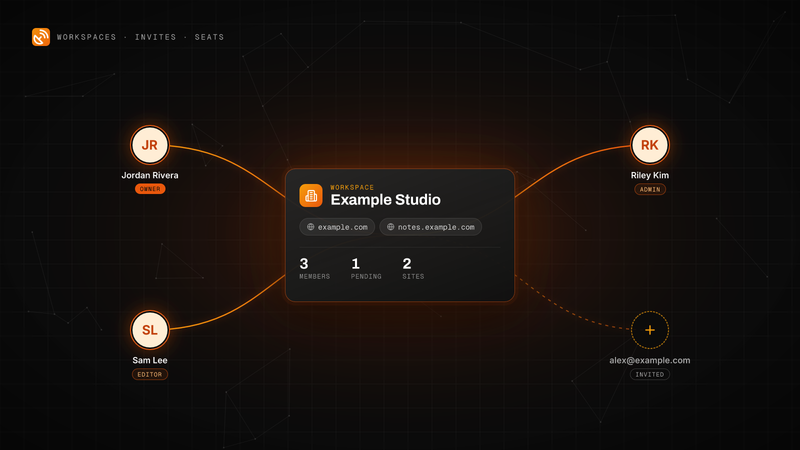
Invite people by email to your workspace. They get every site, note and brain, and each one is a seat on your plan.
Workspaces, email invites and teammate seats are live in BlackOps. Here is how to send an invite, what your teammate sees, the three roles, and how seats are billed on Pro and Operator.
Write one line. It's in the right brain by morning.
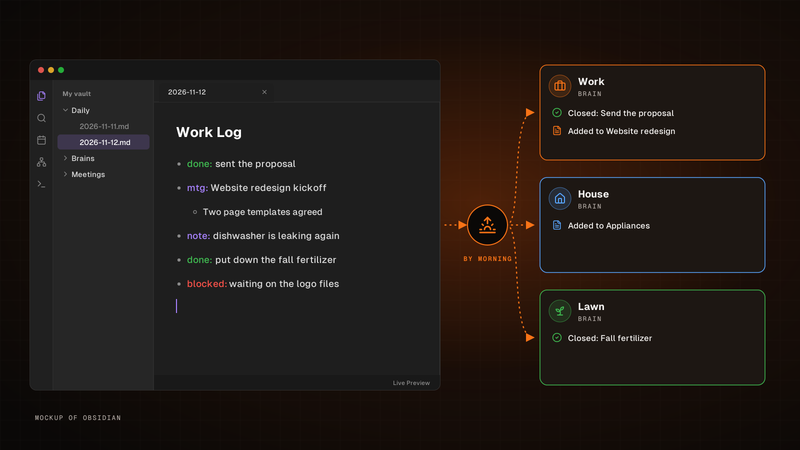
Write it in your Obsidian daily note's Work Log. By morning, BlackOps closes the to-dos and tasks you finished and files the rest into the brain each line is about.
Write one line for each thing that happened in the Work Log of your Obsidian daily note. By morning, BlackOps has closed the to-dos and brain tasks you finished, filed the rest into the brain note each line is about, and opened your next note with a receipt.
One agent finds the bug. Another ships the fix.
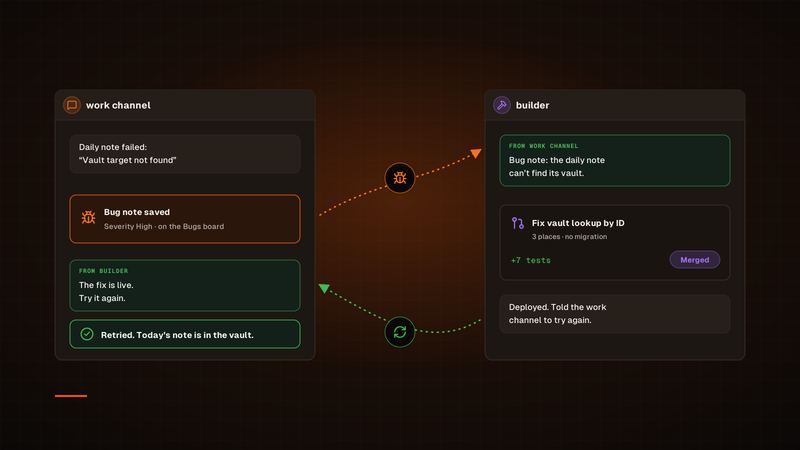
A channel hands its bug to builder. Once the fix is deployed, builder tells that channel to try again, so the agent that hit the bug is the one that checks the fix.
Our bug fixes used to run through a Sortie, and every one started its own session. Now a channel hands its bug to our builder channel in Claude Duet, builder ships the fix, and the channel that found the bug tries again. To check on a fix, we just open builder.
Connect More Than One GitHub Account to BlackOps
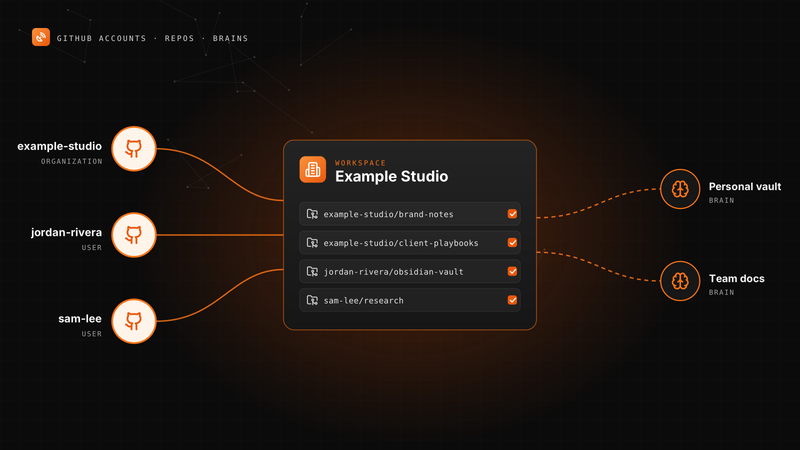
Your personal vault, an organization and a second GitHub user can all feed one workspace's notes and brains.
A BlackOps workspace can now connect several GitHub accounts. Here is how to add one, pick knowledge repos, point repo targets and brains at any of them, and change access later.
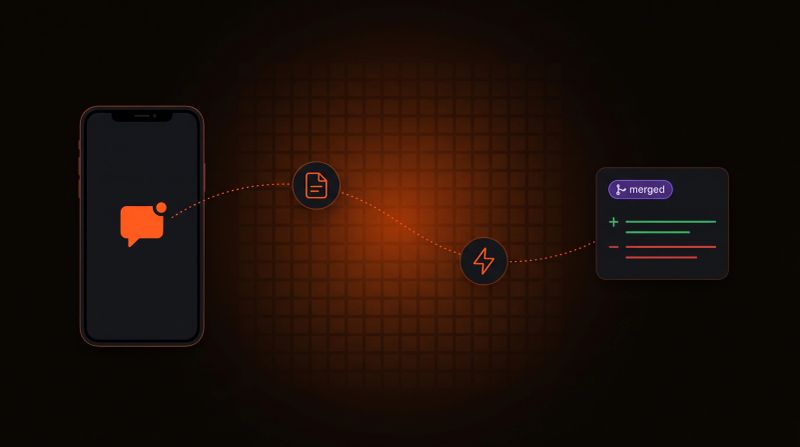
Log a Bug From Your Phone, Get a PR Back
Tell your agent what broke. BlackOps files the bug, a coding agent opens the fix, and nothing merges until you approve it.
Report a bug in any chat with your agent. BlackOps files it as a bug note, fires a coding agent that opens a pull request, and closes the note after you merge.