Workflow Guide
Optimize Content Creation with AI-Refined Workflows
Enhance your content strategy with human-authored, AI-refined processes
Operational Friction
Content creators face a barrage of challenges: scattered ideas, inconsistent themes, and inefficiencies in content planning. Many rely on ad-hoc processes, leading to disjointed campaigns and missed opportunities. Without a structured system, creators often struggle to maintain thematic consistency and strategic alignment across their content. This operational friction results in wasted effort and suboptimal content performance.
How the Workflow Operates
The human-authored AI-refined workflow leverages brains to transform content creation. By organizing ideas around strategic themes, creators can surface opportunities and plan campaigns effectively. Content Discovery automates the collection of relevant discussions from platforms like Hacker News and Reddit, feeding brains with valuable insights. The AI Strategist provides context-aware guidance, ensuring each piece aligns with your overarching strategy. Meanwhile, the Voice Profile maintains your authentic voice across all content, enhancing consistency and engagement.
Step-by-Step Workflow
Follow these steps to streamline your content creation process.
- 1
Step 1: Create a Brain
Set up a thematic brain to gather and organize ideas.
Outcome: A structured repository of content ideas aligned with strategic themes.
- 2
Step 2: Enable Content Discovery
Activate automated content collection from key platforms.
Outcome: Continuous influx of relevant content insights to fuel creation.
- 3
Step 3: Develop a Content Strategy
Link your brain to strategic objectives and define campaign goals.
Outcome: A clear roadmap for content creation aligned with business goals.
- 4
Step 4: Generate Content
Use AI to create content outlines and draft pieces, maintaining strategic focus.
Outcome: High-quality content that resonates with your audience and aligns with strategy.
Capabilities That Power the Workflow
These features enable a seamless integration of human creativity and AI refinement.
Organize content around strategic themes to surface opportunities and plan campaigns.
Provides context-aware guidance to ensure content aligns with strategic objectives.
Maintains your unique voice across all content, ensuring authenticity and consistency.
Automatically collects relevant discussions from key platforms to inform content creation.
Enablement & Governance
Implementing this workflow requires minimal training:
- Training Modules: Short sessions on using brains and AI Strategist.
- Governance: Regular reviews to ensure content aligns with strategic goals.
- Support: Access to a dedicated support team for troubleshooting and guidance.
Metrics That Matter
Track the effectiveness of your content strategy with these key metrics:
- Content Engagement: Monitor likes, shares, and comments to gauge audience interaction.
- Strategic Alignment: Evaluate how well content aligns with strategic themes.
- Content ROI: Measure the impact of content on business objectives and revenue.
Frequently Asked Questions
How long does this workflow take?
The initial setup of brains and strategy takes a few hours. Ongoing content generation is streamlined, saving significant time.
Can this integrate with existing tools?
Yes, the workflow can complement existing content management systems and tools, enhancing strategic alignment.
What training is required?
Minimal training is needed. Short modules cover the setup and use of key features like brains and AI Strategist.
Create your own Brain, then a site where you share what you know
What could you talk about for an hour?
Speak it, type it, or upload it. We interview you on your specifics, structure what you know into your own Brain, and draft your first post from it — in your voice, on your own site.
No email until you've seen your Brain. Human-authored. AI-refined.
Featured Articles
Insights on commerce development, AI workflows, and engineering leadership
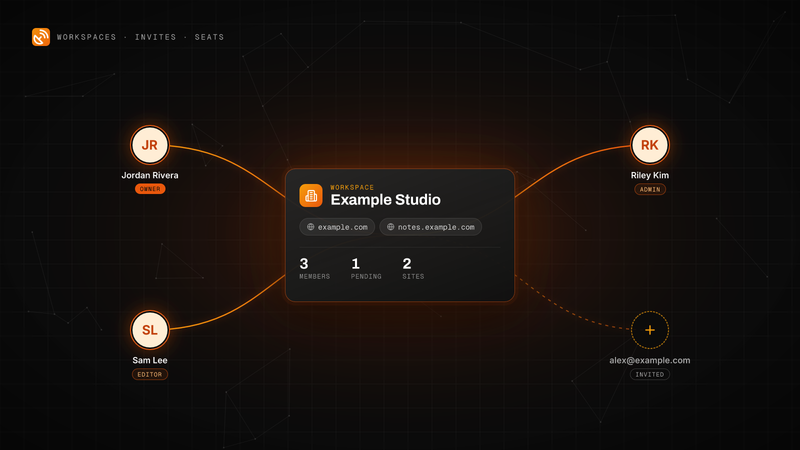
BlackOps Now Works for Teams
Invite people by email to your workspace. They get every site, note and brain, and each one is a seat on your plan.
Workspaces, email invites and teammate seats are live in BlackOps. Here is how to send an invite, what your teammate sees, the three roles, and how seats are billed on Pro and Operator.
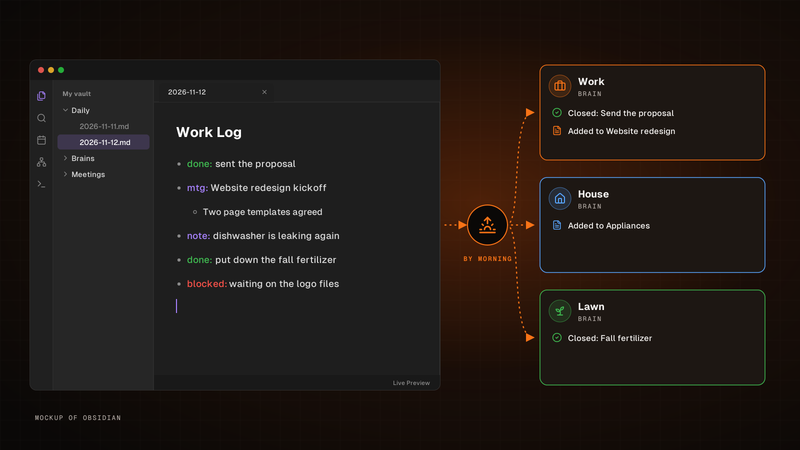
Write one line. It's in the right brain by morning.
Write it in your Obsidian daily note's Work Log. By morning, BlackOps closes the to-dos and tasks you finished and files the rest into the brain each line is about.
Write one line for each thing that happened in the Work Log of your Obsidian daily note. By morning, BlackOps has closed the to-dos and brain tasks you finished, filed the rest into the brain note each line is about, and opened your next note with a receipt.
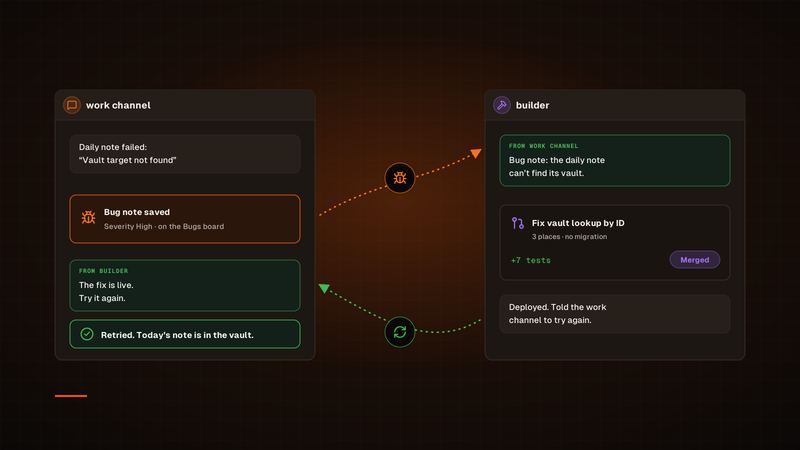
One agent finds the bug. Another ships the fix.
A channel hands its bug to builder. Once the fix is deployed, builder tells that channel to try again, so the agent that hit the bug is the one that checks the fix.
Our bug fixes used to run through a Sortie, and every one started its own session. Now a channel hands its bug to our builder channel in Claude Duet, builder ships the fix, and the channel that found the bug tries again. To check on a fix, we just open builder.
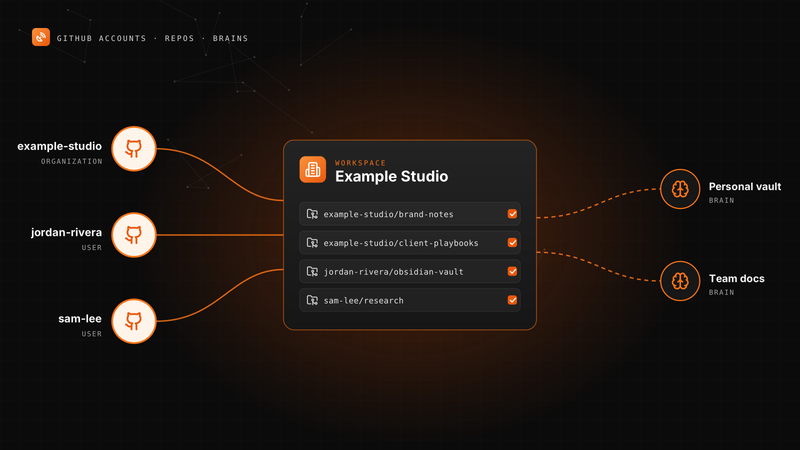
Connect More Than One GitHub Account to BlackOps
Your personal vault, an organization and a second GitHub user can all feed one workspace's notes and brains.
A BlackOps workspace can now connect several GitHub accounts. Here is how to add one, pick knowledge repos, point repo targets and brains at any of them, and change access later.
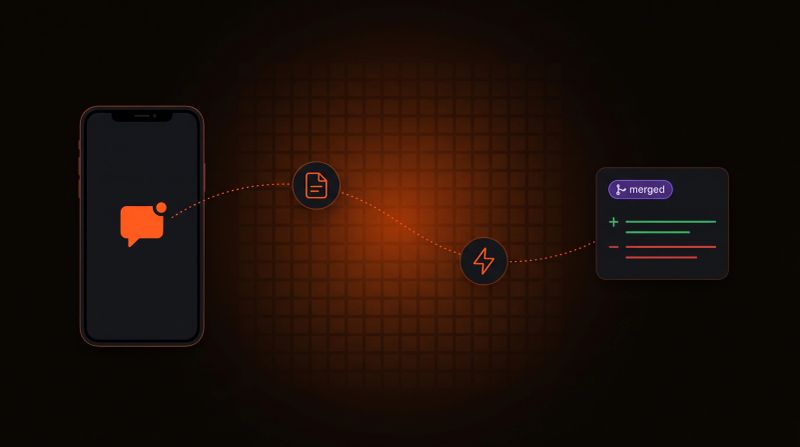
Log a Bug From Your Phone, Get a PR Back
Tell your agent what broke. BlackOps files the bug, a coding agent opens the fix, and nothing merges until you approve it.
Report a bug in any chat with your agent. BlackOps files it as a bug note, fires a coding agent that opens a pull request, and closes the note after you merge.