Content Cluster
Master Your Newsletter Strategy
Optimize your newsletter workflow with BlackOps Center's strategic intelligence.
Navigating the newsletter landscape can be daunting. With countless platforms and tools available, choosing the right one for your needs is crucial. BlackOps Center offers a strategic approach to newsletter creation and management, transforming how content creators operate.
Understanding the Problem
The main challenge lies in fragmented tools and scattered content creation efforts. Many platforms offer basic functionalities but lack strategic integration, leading to inefficiencies and missed opportunities.
Streamlined Workflow
BlackOps Center's brains allow you to organize and orchestrate content around specific themes, ensuring your newsletters are part of a coordinated content strategy. Add a watch to your brain to discover relevant content from Hacker News, Reddit, YouTube, and RSS feeds.
Role-Specific Guidance
Whether you're a content creator, marketer, or strategist, BlackOps Center adapts to your workflow. Its AI Strategist provides context-aware insights, helping you maintain thematic consistency across newsletters, blogs, and social media.
Competitor Insights
Unlike standalone tools like Substack or Beehiiv, BlackOps Center integrates newsletter creation with a comprehensive content intelligence system, offering unparalleled strategic depth.
Curated competitor
Competitive Comparisons
/vs-beehiiv
BlackOps Center vs Beehiiv: Integrated Content Intelligence
Compare BlackOps Center and Beehiiv for newsletter creators seeking integrated content workflows.
/vs-substack
BlackOps Center vs Substack: A Better Newsletter Platform
Compare BlackOps Center and Substack for newsletters. Avoid fees, gain full analytics, and integrate content seamlessly.
/vs-buttondown
BlackOps Center vs Buttondown: Strategic Content Integration
Compare BlackOps Center with Buttondown for technical content creators seeking strategic content integration and AI assistance.
Create your own Brain, then a site where you share what you know
What could you talk about for an hour?
Speak it, type it, or upload it. We interview you on your specifics, structure what you know into your own Brain, and draft your first post from it — in your voice, on your own site.
No email until you've seen your Brain. Human-authored. AI-refined.
Featured Articles
Insights on commerce development, AI workflows, and engineering leadership
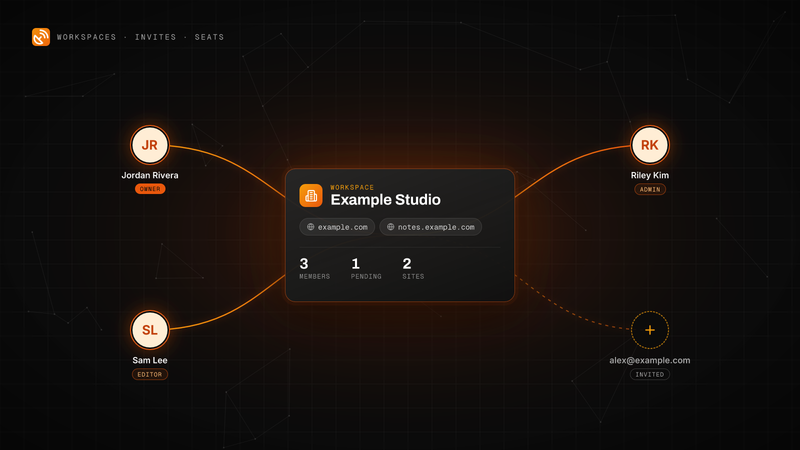
BlackOps Now Works for Teams
Invite people by email to your workspace. They get every site, note and brain, and each one is a seat on your plan.
Workspaces, email invites and teammate seats are live in BlackOps. Here is how to send an invite, what your teammate sees, the three roles, and how seats are billed on Pro and Operator.
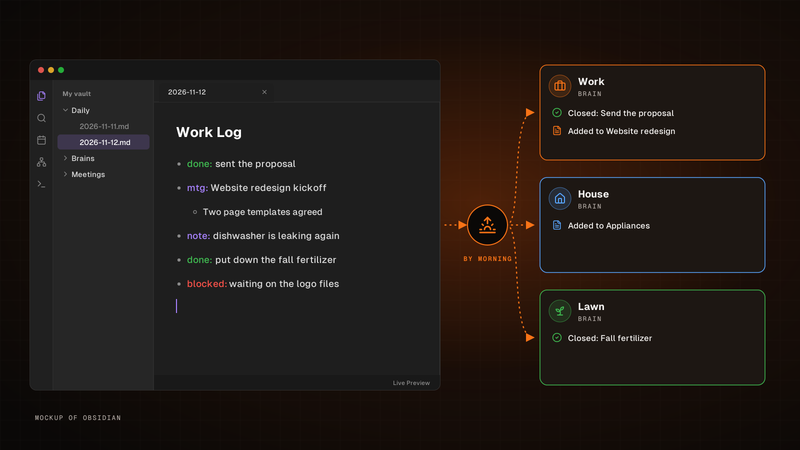
Write one line. It's in the right brain by morning.
Write it in your Obsidian daily note's Work Log. By morning, BlackOps closes the to-dos and tasks you finished and files the rest into the brain each line is about.
Write one line for each thing that happened in the Work Log of your Obsidian daily note. By morning, BlackOps has closed the to-dos and brain tasks you finished, filed the rest into the brain note each line is about, and opened your next note with a receipt.
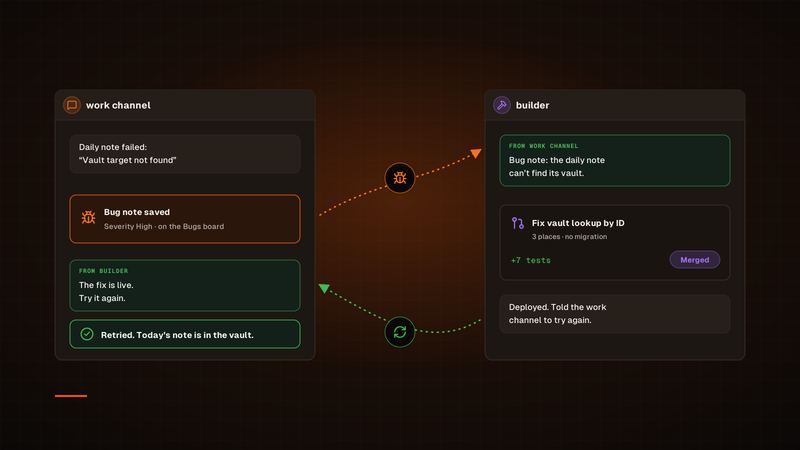
One agent finds the bug. Another ships the fix.
A channel hands its bug to builder. Once the fix is deployed, builder tells that channel to try again, so the agent that hit the bug is the one that checks the fix.
Our bug fixes used to run through a Sortie, and every one started its own session. Now a channel hands its bug to our builder channel in Claude Duet, builder ships the fix, and the channel that found the bug tries again. To check on a fix, we just open builder.
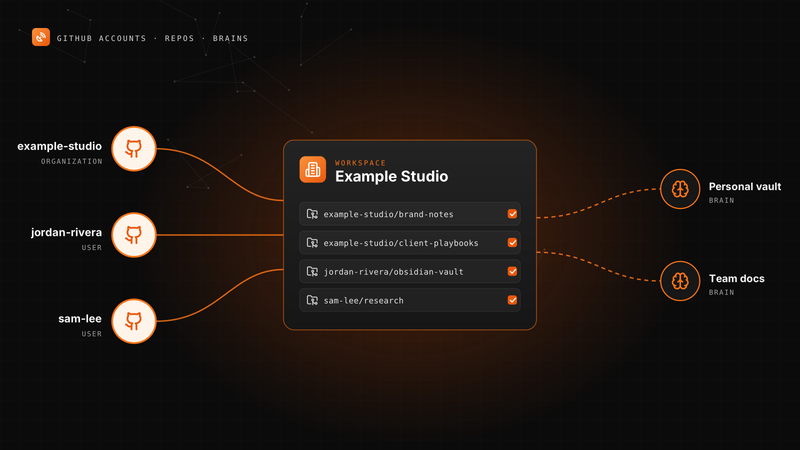
Connect More Than One GitHub Account to BlackOps
Your personal vault, an organization and a second GitHub user can all feed one workspace's notes and brains.
A BlackOps workspace can now connect several GitHub accounts. Here is how to add one, pick knowledge repos, point repo targets and brains at any of them, and change access later.
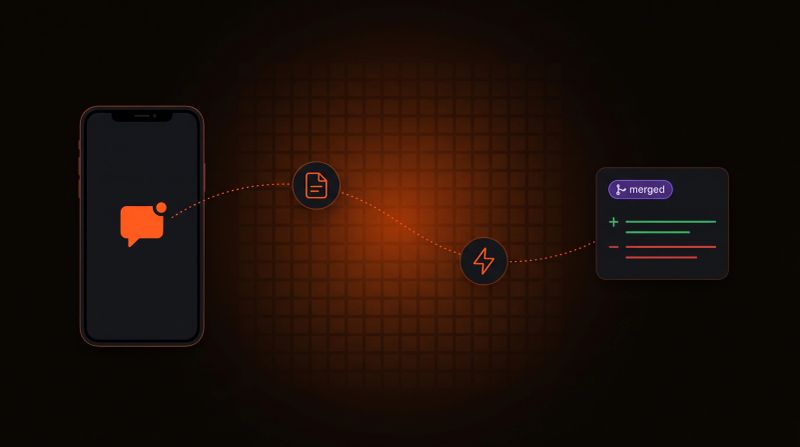
Log a Bug From Your Phone, Get a PR Back
Tell your agent what broke. BlackOps files the bug, a coding agent opens the fix, and nothing merges until you approve it.
Report a bug in any chat with your agent. BlackOps files it as a bug note, fires a coding agent that opens a pull request, and closes the note after you merge.